
Konverter TXT menyang XLSX
Owahake file TXT apa wae menyang ekstensi apa wae sing sampeyan butuhake mung sawetara klik, dening konverter cepet lan akurat kita!
Unggah utawa selehake dokumen kanggo diterjemahake
Ukuran file maks. 1 GB ing Pro lan Business
Tombol mbukak pendaftaran gratis. Terjemahan kasebut mlaku ing dashboard sampeyan, ing ngendi sampeyan milih file maneh. Nggunakake asisten AI? Sambungake liwat MCP.
- OCR kanggo pindaian lan foto
- 108 basa
- Tata letak asli tetep

Revolusi Komunikasi
Apa iku TXT?
TXT, utawa file teks biasa, minangka salah sawijining format file sing paling gampang lan paling universal bisa diakses. File kasebut nyimpen data minangka teks sing ora diformat, tegese mung ngemot karakter kayata huruf, angka, lan simbol, tanpa kemampuan kanggo ndhukung fitur kayata gaya font, warna, gambar sing disematake, utawa elemen pemformatan sugih liyane sing ditemokake ing format sing luwih kompleks kayata DOCX utawa PDF. Kesederhanaan iki ndadekake file TXT banget serbaguna lan entheng, biasane duwe ukuran file sing luwih cilik dibandhingake karo format liyane. File TXT gampang digawe lan diowahi ing editor teks dhasar, kayata Notepad ing Windows utawa TextEdit ing macOS, lan kompatibel karo meh kabeh sistem operasi lan piranti.
Kajaba iku, ora ana pemformatan ing file TXT ndadekake dheweke migunani banget kanggo tugas pangolahan data, ing ngendi konten sing resik lan bisa diwaca manungsa penting. Ing aplikasi kayata migrasi data, file TXT asring luwih disenengi kanggo nyimpen data mentah amarga ngindhari kesalahan pemformatan utawa metadata sing didhelikake sing bisa ngganggu pangolahan. Dheweke uga populer kanggo ngode lan ngirim pesen teks biasa utawa nangani ijol-ijolan data antarane sistem ing ngendi minimalisme lan kesederhanaan dibutuhake. Sakabèhé, file TXT nawakake solusi sing ora rumit lan efisien kanggo nyimpen lan nuduhake teks biasa ing format sing kompatibel universal.

Kenalan karo DocTranslator!
DocTranslator minangka layanan terjemahan online canggih sing ngidini pangguna ngunggah macem-macem format dokumen, kalebu Word, PDF, lan PowerPoint, lan nerjemahake menyang macem-macem basa. Nggunakake kekuwatan mesin Google Translate, DocTranslator dirancang khusus kanggo dokumen lan kalebu fitur ekstra sing ndadekake luwih cocok kanggo tujuan iki dibandhingake karo layanan terjemahan standar.
Apa iku XLSX
XLSX minangka format file sing akeh digunakake kanggo spreadsheet, digawe dening Microsoft Excel minangka bagéan saka standar Office Open XML. Nyimpen data ing format berbasis grid sing terstruktur sing dumadi saka baris lan kolom, ngidini penanganan angka, teks, lan rumus sing efisien. File XLSX uga bisa ngemot grafik, bagan, tabel pivot, lan macem-macem alat analisis data, dadi serbaguna banget kanggo tugas kaya laporan finansial, manajemen data, lan analisis statistik. Beda karo pendahulune, XLS, format XLSX adhedhasar XML lan dikompres ing wadah ZIP, sing nyuda ukuran file lan nambah integritas data. Format iki didhukung dening akeh aplikasi piranti lunak liyane saka Excel, ngidini nuduhake lan interoperabilitas sing gampang ing antarane platform.

Sepira pentinge terjemahan?
Terjemahan penting ing jagad sing saling terhubung saiki, ngatasi alangan basa lan ngidini komunikasi ing antarane budaya lan wilayah sing beda-beda. Dheweke duwe peran penting ing nuwuhake pangerten, apa ing bisnis global, diplomasi, sastra, utawa urip saben dina. Terjemahan sing akurat ngidini ide, informasi, lan kawruh bisa dienggo bareng ing wates linguistik, saéngga wong saka macem-macem bagean ing donya bisa meluhi konten kanthi cara sing migunani. Ing sektor kayata kesehatan, sistem hukum, lan pendhidhikan, terjemahan penting kanggo mesthekake yen wong nampa informasi sing akurat lan cocog karo konteks, sing bisa duwe akibat langsung marang kesejahteraan lan kesempatan. Ing jaman digital, terjemahan mbantu ngembangake jangkauan produk, layanan, lan ide kanthi nggawe aksesibel kanggo penutur non-alami, saéngga mbukak pasar anyar lan nggampangake ijol-ijolan lintas budaya. Kajaba iku, terjemahan mbantu njaga lan promosi warisan budaya, ngidini kekayaan basa, sastra, lan teks sejarah bisa dihargai sacara global. Tanpa terjemahan, akeh kawruh ing donya bakal tetep ana ing silo basa, mbatesi kolaborasi, tuwuh, lan pangerten bebarengan.
Konverter TXT menyang XLSX lan apa sing bisa kita lakoni
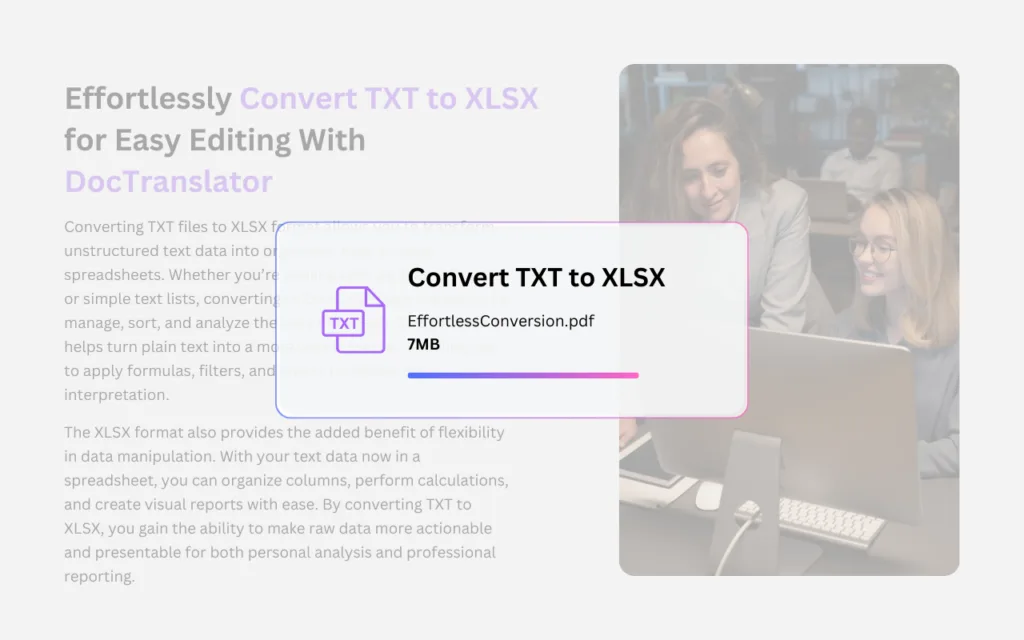
Nggunakake fitur "TXT menyang XLSX" dening DocTranslator nawakake solusi sing lancar lan efisien kanggo ngowahi file teks biasa dadi spreadsheet Excel sing terstruktur. Piranti iki utamané migunani kanggo pangguna sing kudu ngowahi data teks sing ora diformat, kayata dhaptar, laporan, utawa log, menyang kisi baris lan kolom sing teratur sing bisa gampang dimanipulasi lan dianalisis. Kanthi ngowahi file TXT dadi format XLSX, pangguna entuk kemampuan kanggo nyortir, nyaring, lan nindakake kalkulasi ing data kanthi nggunakake fitur Excel sing kuat. Proses kasebut lugas lan cepet, njamin manawa data berharga sing disimpen ing file TXT bisa digunakake kanthi cara sing luwih kuat lan fleksibel, tanpa kelangan konten apa wae sajrone konversi. Apa kanggo tujuan bisnis, pendidikan, utawa pangolahan data, fitur "TXT menyang XLSX" DocTranslator nambah produktivitas kanthi ngidini pangguna transisi saka format teks dhasar menyang lingkungan spreadsheet sing luwih dinamis lan fungsional kanthi gampang.
Perlu nerjemahake situs web kabeh tinimbang dokumen? Mitra kita ConveyThis.com ngatur terjemahan situs web kabeh, sing beda karo nerjemahake file.
CARANE KERJA
Langkah 1: Gawe Akun Gratis
Miwiti perjalanan jarwane kanthi nggawe akun gratis ing platform kita. Mung sawetara menit kanggo menehi informasi dhasar lan konfirmasi alamat email sampeyan. Akun iki bakal dadi pusat pribadi sampeyan kanggo ngunggah, nglacak, lan ngatur kabeh proyek jarwane.
Langkah 2: Unggah Berkas
Sawise mlebu, wektune kanggo ngunggah dokumen sampeyan. Sistem kita ndhukung macem-macem format, kalebu MS Word, Excel, PowerPoint, TXT, InDesign, lan CSV. Cukup seret lan culake file utawa gunakake pilihan "Telusuri" kanggo milih file saka piranti sampeyan.
Langkah 3: Pilih Basa Asli lan Target
Netepake basa ing ngendi dokumen asli sampeyan ditulis. Banjur, pilih basa target sing pengin dijarnake dokumen kasebut. Kanthi dhaptar basa sing akeh, sampeyan bakal nemokake sing cocog kanggo pamirsa, apa kanggo proposal bisnis utawa kampanye kreatif.
Langkah 4: Klik Tombol Terjemah lan Undhuh
Sawise sampeyan netepake pilihan basa, klik tombol "Unggah" kanggo miwiti pangolahan. Lungguha lan santai nalika sistem jarwane canggih kita nggarap file sampeyan, njaga tata letak lan gaya asli nalika ngirim jarwane sing akurat.
Pitakonan Sing Sering Ditakokake
Kepiye carane ngowahi file TXT dadi XLSX?
Gawe akun gratis, unggah file TXT kanthi nyeret lan ngeculake utawa nggunakake pilihan "Browse", banjur jalanake konversi. DocTranslator ngowahi teks biasa dadi spreadsheet XLSX sing terstruktur sing bisa diundhuh.
Apa bedane antarane TXT lan XLSX?
TXT iku format teks biasa sing nyimpen karakter sing ora diformat kayata huruf, angka, lan simbol, tanpa dhukungan kanggo font, warna, utawa gambar. XLSX iku format spreadsheet saka Microsoft Excel sing nyimpen data ing kisi baris lan kolom lan ndhukung rumus, bagan, lan tabel pivot.
Yagene ngowahi file TXT dadi spreadsheet Excel?
Ngowahi file TXT menyang XLSX ngidini sampeyan ngowahi data teks sing ora diformat kayata dhaptar, laporan, utawa log dadi kisi baris lan kolom sing teratur. Sawise ing XLSX, sampeyan bisa nyortir, nyaring, lan nindakake perhitungan ing data nggunakake fitur Excel.
Apa data saya bakal ilang nalika konversi?
Ora. Konversi TXT menyang XLSX dirancang kanggo mindhah data teks sampeyan menyang format spreadsheet tanpa kelangan konten apa wae, mula informasi sampeyan tetep utuh ing file XLSX anyar.
Apa konverter TXT menyang XLSX gratis digunakake?
Ya. Sampeyan bisa ngowahi file TXT menyang XLSX online kanthi gratis nganggo DocTranslator. Mbutuhake sawetara menit kanggo nyiyapake akun gratis sadurunge ngunggah lan ngowahi file sampeyan.
Jarwane file-mu saiki!
Dhaftar saiki lan temokake kekuwatan DocTranslator lan sepira gedhene prabédan kanggo sampeyan lan bisnis sampeyan.
Kanca-kanca Kita




Piranti PDF & Layanan Terjemahan Liyane
Piranti PDF