
અંગ્રેજીમાંથી રશિયનમાં દસ્તાવેજ અનુવાદ
DocTranslator તરફથી શ્રેષ્ઠ ઓનલાઈન અનુવાદક અહીં છે, ફક્ત થોડી સેકંડમાં તમને જોઈતું કંઈપણ અનુવાદિત કરો
અનુવાદ કરવા માટે દસ્તાવેજ અપલોડ કરો અથવા છોડો
મહત્તમ ફાઇલ કદ 1 GB
- સ્કેન અને ફોટા માટે OCR
- 108 ભાષાઓ
- મૂળ લેઆઉટ જાળવી રાખવામાં આવ્યું
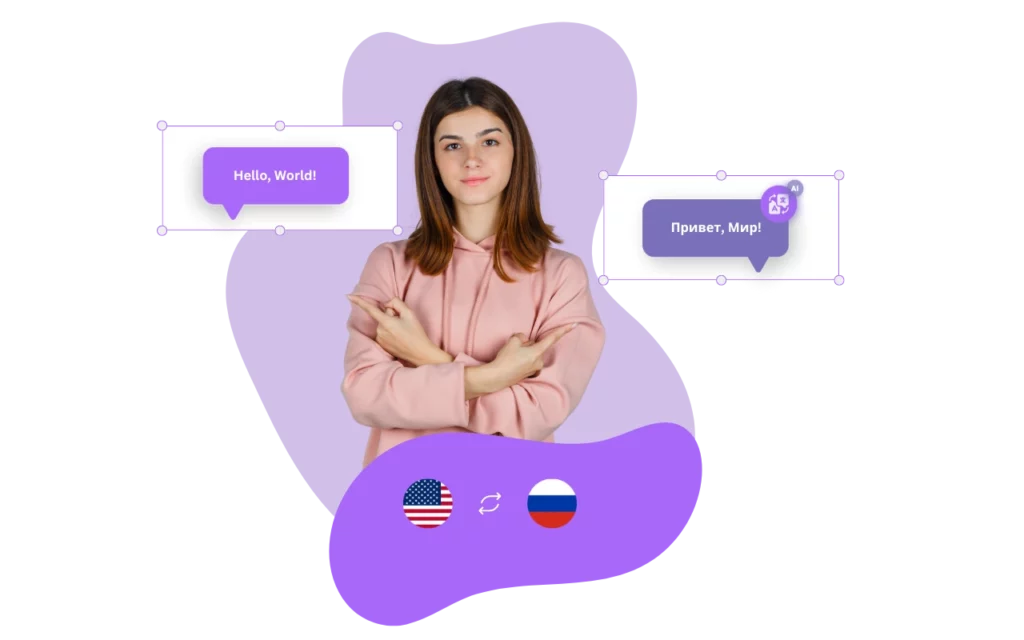

શું હું અહીં અંગ્રેજીમાંથી રશિયનમાં અનુવાદ કરી શકું?
DocTranslator રશિયન માટે શ્રેષ્ઠ ઓનલાઈન ટ્રાન્સલેટર છે કારણ કે તે ઝડપી, સચોટ અને ઉપયોગમાં સરળ છે. DocTranslator સાથે, તમે ફક્ત થોડી સેકંડમાં અંગ્રેજીથી રશિયન અથવા રશિયનથી અંગ્રેજીમાં Word, PDF, અને PowerPoint ફાઇલો સહિત કોઈપણ દસ્તાવેજનો અનુવાદ કરી શકો છો.
DocTranslator નો એક મુખ્ય ફાયદો તેની ઉચ્ચ સ્તરની ચોકસાઈ છે. સેવા એ સુનિશ્ચિત કરવા માટે અદ્યતન મશીન લર્નિંગ અલ્ગોરિધમનો ઉપયોગ કરે છે કે અનુવાદો શક્ય તેટલા સચોટ છે. આનો અર્થ એ છે કે તમે DocTranslator પર વિશ્વાસ કરી શકો છો કે તે તમારા દસ્તાવેજોના મૂળ અર્થ અને સંદર્ભને સાચા અનુવાદો ઉત્પન્ન કરે.
DocTranslator ની બીજી એક ઉત્તમ સુવિધા તેનો ઉપયોગમાં સરળતા છે. આ સેવા સંપૂર્ણપણે વેબ-આધારિત છે, તેથી કોઈપણ સોફ્ટવેર ડાઉનલોડ કરવાની જરૂર નથી. ફક્ત તમારો દસ્તાવેજ અપલોડ કરો અને ભાષાઓ પસંદ કરો જેની વચ્ચે તમે અનુવાદ કરવા માંગો છો. પ્રક્રિયા ઝડપી અને સીધી છે, તેથી તમે તમારા અનુવાદો ઝડપથી અને સરળતાથી પૂર્ણ કરી શકો છો.
DocTranslator Microsoft Office અને Adobe PDF સહિત ફાઇલ ફોર્મેટ્સની વિશાળ શ્રેણીને પણ સપોર્ટ કરે છે, તેથી તમે કોઈપણ દસ્તાવેજનો અનુવાદ કરી શકો છો જેની તમને જરૂર છે. વધારામાં, સેવા તમારી જરૂરિયાતોને અનુરૂપ ભાવ વિકલ્પોની શ્રેણી પ્રદાન કરે છે, પછી ભલે તમે વ્યક્તિગત હોવ કે વ્યવસાય.
સારાંશમાં, DocTranslator રશિયન માટે શ્રેષ્ઠ ઓનલાઈન અનુવાદક છે કારણ કે તે ઝડપી, સચોટ અને ઉપયોગમાં સરળ અનુવાદ સેવાઓ પ્રદાન કરે છે. તેના અદ્યતન મશીન લર્નિંગ અલ્ગોરિધમ્સ, ફાઇલ ફોર્મેટ સપોર્ટની વિશાળ શ્રેણી અને લવચીક ભાવ વિકલ્પો સાથે, DocTranslator અંગ્રેજીથી રશિયન અથવા રશિયનથી અંગ્રેજીમાં દસ્તાવેજોનું ભાષાંતર કરવા માંગતા કોઈપણ માટે યોગ્ય પસંદગી છે.

DocTranslator ને મળો!
DocTranslator એક અત્યાધુનિક ઓનલાઈન અનુવાદ સેવા છે જે વપરાશકર્તાઓને Word, PDF અને PowerPoint સહિત વિવિધ દસ્તાવેજ ફોર્મેટ્સ અપલોડ કરવાની મંજૂરી આપે છે, અને તેમને વિવિધ ભાષાઓમાં અનુવાદિત કરાવે છે. Google Translate એન્જિનની શક્તિનો ઉપયોગ કરીને, DocTranslator ખાસ કરીને દસ્તાવેજો માટે ડિઝાઇન કરવામાં આવ્યું છે અને તેમાં વધારાની સુવિધાઓ શામેલ છે જે તેને પ્રમાણભૂત અનુવાદ સેવાઓની તુલનામાં આ હેતુ માટે વધુ યોગ્ય બનાવે છે.
રશિયનમાં અનુવાદ કરો →
રશિયાનો સ્થાપત્ય વારસો: સમય પસાર થતો એક માર્ગ
રશિયા વિવિધ યુગ અને પ્રદેશોમાં ફેલાયેલા સ્થાપત્ય ખજાનાની પ્રભાવશાળ શ્રેણી ધરાવે છે. મોસ્કોનું પ્રતિકાત્મક ક્રેમલિન, તાજમહેલ જેવું જ, શક્તિ અને ભક્તિનું પ્રતીક છે, જે સ્વચ્છ સફેદ આરસપહાણથી બનેલું છે. જેમ રાજસ્થાનમાં ભવ્ય રેતીના પથ્થરના કિલ્લાઓ છે, તેમ સેન્ટ પીટર્સબર્ગના ભવ્ય મહેલો ભૂતપૂર્વ શાસકોની વાર્તાઓ કહે છે, જે મુલાકાતીઓને ઉમદા ભૂતકાળમાં લીન કરે છે. પૂર્વ તરફ આગળ વધતા, સાઇબિરીયાનું લાકડાનું સ્થાપત્ય સાંસ્કૃતિક ઓળખને પ્રતિબિંબિત કરે છે, જ્યારે કોનારક ખાતે UNESCO-સૂચિબદ્ધ સૂર્ય મંદિર પ્રાચીન સ્થાપત્ય શાણપણનું પ્રતિબિંબ પાડે છે.
દસ્તાવેજને બદલે આખી વેબસાઇટનું ભાષાંતર કરવાની જરૂર છે? અમારા ભાગીદાર ConveyThis.com સંપૂર્ણ-સાઇટ અનુવાદ સંભાળે છે, જે ફાઇલનું ભાષાંતર કરવા કરતાં અલગ કાર્ય છે.

રશિયનથી અંગ્રેજીમાં અનુવાદ કરવામાં પડકારો
રશિયનથી અંગ્રેજીમાં અનુવાદ કરવામાં અનેક કારણોસર નોંધપાત્ર પડકારો છે. પ્રથમ, રશિયન અને અંગ્રેજીમાં અલગ વ્યાકરણ રચનાઓ, શબ્દભંડોળ અને રૂઢિપ્રયોગો છે. રશિયનમાં, ખાસ કરીને, સંજ્ઞાઓ, વિશેષણો અને સર્વનામો માટે છ કેસ સાથે એક જટિલ વ્યાકરણ પ્રણાલી છે, જે અંગ્રેજીમાં સચોટ અનુવાદને જટિલ બનાવે છે.
વધુમાં, રશિયન શબ્દોમાં ઘણીવાર સીધા અંગ્રેજી સમકક્ષ હોતા નથી, જ્યારે રૂઢિપ્રયોગો અને બોલચાલની ભાષા વધુ અવરોધો ઉભા કરે છે. સાંસ્કૃતિક સંદર્ભો અને રૂઢિપ્રયોગો, ખાસ કરીને, ભાષાઓમાં જુદા જુદા અર્થો અથવા સંકેતો ધરાવી શકે છે.
રશિયન અને અંગ્રેજી વચ્ચે શબ્દભંડોળ અને અભિવ્યક્તિઓમાં તફાવતો અનુવાદ પ્રયાસોને વધુ અવરોધે છે, જેના માટે યોગ્ય શબ્દો અને શબ્દસમૂહોની સાવચેતીપૂર્વક પસંદગીની જરૂર પડે છે.
વધુમાં, તકનીકી અથવા વિશિષ્ટ પરિભાષામાં સીધા અનુવાદોનો અભાવ હોઈ શકે છે, જે પ્રક્રિયામાં જટિલતાનું બીજું સ્તર ઉમેરે છે.
આખરે, સચોટ અનુવાદ માટે લખાણના સંદર્ભને સમજવું આવશ્યક છે, જેના માટે વિષયવસ્તુ અને હેતુપૂર્વકના પ્રેક્ષકોની ઊંડી સમજ જરૂરી છે.
સારાંશમાં, રશિયનથી અંગ્રેજીમાં અનુવાદ કરવું એ બે ભાષાઓ વચ્ચેના અસંખ્ય ભાષાકીય, સાંસ્કૃતિક અને સંદર્ભિત તફાવતોને કારણે એક મુશ્કેલ કાર્ય છે.
સૌથી સચોટ રશિયન અનુવાદક કયો છે?
કયો ઓનલાઈન રશિયન અનુવાદક સૌથી સચોટ છે તે કહેવું મુશ્કેલ છે, કારણ કે જુદી જુદી સેવાઓમાં લખાણના ચોક્કસ સંદર્ભ અને સામગ્રીના આધારે ચોકસાઈના જુદા જુદા સ્તરો હોઈ શકે છે. જોકે, DocTranslator તેના અદ્યતન મશીન લર્નિંગ અલ્ગોરિધમ્સ અને મોટા દસ્તાવેજોને હેન્ડલ કરવાની ક્ષમતાને કારણે રશિયન માટે અત્યંત સચોટ ઓનલાઈન અનુવાદક માનવામાં આવે છે.
DocTranslator નો મુખ્ય ફાયદો એ છે કે તે 5000 પૃષ્ઠો અને 1 GB સુધીના મોટા દસ્તાવેજોનો અનુવાદ કરવાની ક્ષમતા ધરાવે છે. આ વ્યવસાયો અથવા વ્યક્તિઓ માટે એક આદર્શ પસંદગી છે જેમને મોટી માત્રામાં ટેક્સ્ટનો ઝડપથી અને સચોટ રીતે અનુવાદ કરવાની જરૂર છે. વધારામાં, DocTranslator Microsoft Office અને Adobe PDF સહિત ફાઇલ ફોર્મેટ્સની વિશાળ શ્રેણીને સપોર્ટ કરે છે, તેથી તમે કોઈપણ દસ્તાવેજનો અનુવાદ કરી શકો છો જેની તમને જરૂર છે.
વધુમાં, DocTranslator તમારી જરૂરિયાતોને અનુરૂપ ભાવ વિકલ્પોની શ્રેણી પણ પ્રદાન કરે છે, પછી ભલે તમે વ્યક્તિગત હોવ કે વ્યવસાય, જે તેને ઘણા વપરાશકર્તાઓ માટે વધુ લવચીક અને સુલભ વિકલ્પ બનાવે છે.
સારાંશમાં, DocTranslator ને એક સચોટ અને કાર્યક્ષમ ઓનલાઈન રશિયન અનુવાદક માનવામાં આવે છે જે મોટા દસ્તાવેજોને હેન્ડલ કરી શકે છે અને વિવિધ ફાઇલ ફોર્મેટ્સને સપોર્ટ કરી શકે છે. તેના અદ્યતન મશીન લર્નિંગ અલ્ગોરિધમ્સ અને લવચીક ભાવ વિકલ્પો તેને મોટા પ્રમાણમાં લખાણનું ઝડપથી અને સચોટ રીતે ભાષાંતર કરવાની જરૂર હોય તેવા વ્યવસાયો અને વ્યક્તિઓ માટે એક ઉત્તમ પસંદગી બનાવે છે.
વિશિષ્ટ આંકડા
વપરાશકર્તા જોડાણ
DocTranslation પાસે પ્રભાવશાળી વપરાશકર્તા જોડાણ મેટ્રિક્સ છે, જેમાં 80% થી વધુ પ્રથમ વખત વપરાશકર્તાઓ ભવિષ્યના અનુવાદો માટે પાછા ફરે છે. વધુમાં, અમારું પ્લેટફોર્મ ઉચ્ચ સંતોષ દર જાળવી રાખે છે, જેમાં 95% ગ્રાહકો તેમના અનુભવને ઉત્તમ અથવા સારું રેટ કરે છે. વપરાશકર્તાઓ પ્લેટફોર્મની ગુણવત્તા અને વિશ્વસનીયતા પર જે વિશ્વાસ મૂકે છે અને ઉપયોગમાં સરળતાને પ્રતિબિંબિત કરે છે, સરેરાશ સત્ર અવધિ સતત વધી રહી છે.
દૈનિક વાતચીતો
DocTranslation હજારો દૈનિક વાતચીતો દ્વારા અર્થપૂર્ણ આંતર-સાંસ્કૃતિક સંચારની સુવિધા આપે છે. પ્લેટફોર્મ દરરોજ 20,000 થી વધુ અનન્ય અનુવાદ વિનંતીઓ પર પ્રક્રિયા કરે છે, જે બહુવિધ ફોર્મેટ્સમાં દસ્તાવેજોને આવરી લે છે. આ મજબૂત દૈનિક પ્રવૃત્તિ DocTranslation ની ઉચ્ચ વોલ્યુમ કાર્યક્ષમ રીતે સંભાળવાની ક્ષમતા દર્શાવે છે, જે વ્યક્તિઓ અને વ્યવસાયોને ભાષા અવરોધોને સરળતાથી દૂર કરવામાં મદદ કરે છે.
તાલીમ ડેટાનું કદ
DocTranslation નું AI અનુવાદ એન્જિન વિશાળ તાલીમ ડેટા દ્વારા સંચાલિત છે, જેમાં વિવિધ, બહુભાષી ડેટાસેટ્સમાંથી મેળવેલા અબજો શબ્દોનો સમાવેશ થાય છે. આ વિસ્તૃત તાલીમ ડેટા અમારી સિસ્ટમને સૂક્ષ્મ ભાષા માળખા અને રૂઢિપ્રયોગી અભિવ્યક્તિઓને સમજવા માટે સક્ષમ બનાવે છે, જેના પરિણામે એવા અનુવાદો મળે છે જે સંદર્ભિત રીતે સચોટ અને સાંસ્કૃતિક રીતે સંવેદનશીલ બંને હોય છે. આવી વ્યાપક તાલીમ સુનિશ્ચિત કરે છે કે વપરાશકર્તાઓને સપોર્ટેડ બધી ભાષાઓમાં સતત ઉચ્ચ-ગુણવત્તાવાળા અનુવાદો મળે છે.
તે કેવી રીતે કાર્ય કરે છે
પગલું 1: મફત એકાઉન્ટ બનાવો
અમારા પ્લેટફોર્મ પર મફત એકાઉન્ટ બનાવીને તમારી અનુવાદ યાત્રા શરૂ કરો. તમારી મૂળભૂત માહિતી પ્રદાન કરવા અને તમારા ઇમેઇલ સરનામાની પુષ્ટિ કરવા માટે થોડી ક્ષણો જ લાગશે. આ એકાઉન્ટ તમારા અનુવાદ પ્રોજેક્ટ્સને અપલોડ કરવા, ટ્રેક કરવા અને સંચાલિત કરવા માટે તમારા વ્યક્તિગત હબ તરીકે સેવા આપશે.
પગલું 2: ફાઇલ અપલોડ કરો
લોગ ઇન કર્યા પછી, તમારો દસ્તાવેજ અપલોડ કરવાનો સમય છે. અમારી સિસ્ટમ MS Word, Excel, PowerPoint, TXT, InDesign, અને CSV સહિત વિવિધ ફોર્મેટને સપોર્ટ કરે છે. ફક્ત તમારી ફાઇલને ખેંચીને છોડો અથવા તમારા ઉપકરણમાંથી ફાઇલ પસંદ કરવા માટે "Browse" વિકલ્પનો ઉપયોગ કરો.
પગલું 3: મૂળ અને લક્ષ્ય ભાષાઓ પસંદ કરો
તમારો મૂળ દસ્તાવેજ કઈ ભાષામાં લખાયેલ છે તે સ્પષ્ટ કરો. પછી, લક્ષ્ય ભાષા પસંદ કરો જેમાં તમે દસ્તાવેજનું ભાષાંતર કરવા માંગો છો. સમર્થિત ભાષાઓની અમારી વિસ્તૃત સૂચિ સાથે, તમને તમારા પ્રેક્ષકો માટે યોગ્ય મેચ મળશે, પછી ભલે તે વ્યવસાયિક પ્રસ્તાવ હોય કે સર્જનાત્મક ઝુંબેશ.
પગલું 4: અનુવાદ બટન પર ક્લિક કરો અને ડાઉનલોડ કરો
એકવાર તમે તમારી ભાષા પસંદગીઓ સેટ કરી લો, પછી પ્રક્રિયા શરૂ કરવા માટે "અપલોડ" બટન પર ક્લિક કરો. અમારી અદ્યતન અનુવાદ સિસ્ટમ તમારી ફાઇલ પર કામ કરતી વખતે આરામથી બેસો અને આરામ કરો, મૂળ લેઆઉટ અને શૈલી જાળવી રાખીને સચોટ અનુવાદ પ્રદાન કરો.
તમારી ફાઇલ હવે અનુવાદિત કરો!
આજે જ સાઇન અપ કરો અને DocTranslator ની શક્તિ શોધો અને તે તમારા અને તમારા વ્યવસાય માટે કેટલો ફરક પાડશે તે જાણો.
અમારા ભાગીદારો
સંબંધિત સાધનો અને સેવાઓ
ફાઇલ ફોર્મેટ્સ
ભાષા દ્વારા PDF અનુવાદ કરો
દસ્તાવેજ પ્રકારો
અમારા ભાગીદારો




