
Dokumentumfordítás angolról oroszra
Fordítson angol dokumentumokat oroszra online, és kapja vissza a fájlt cirill betűkkel, megőrizve az elrendezést
Töltse fel vagy húzza ide a dokumentumot a fordításhoz
Max. fájlméret 1 GB Pro és Business csomagban
A gomb ingyenes regisztrációt nyit meg. Maga a fordítás az irányítópulton fut, ahol újra kiválasztja a fájlt. AI asszisztenst használ? Csatlakoztassa az MCP-n keresztül.
- OCR beolvasott dokumentumokhoz és fotókhoz
- 108 nyelv
- Eredeti elrendezés megőrizve

Fordíthatok itt angolról oroszra?
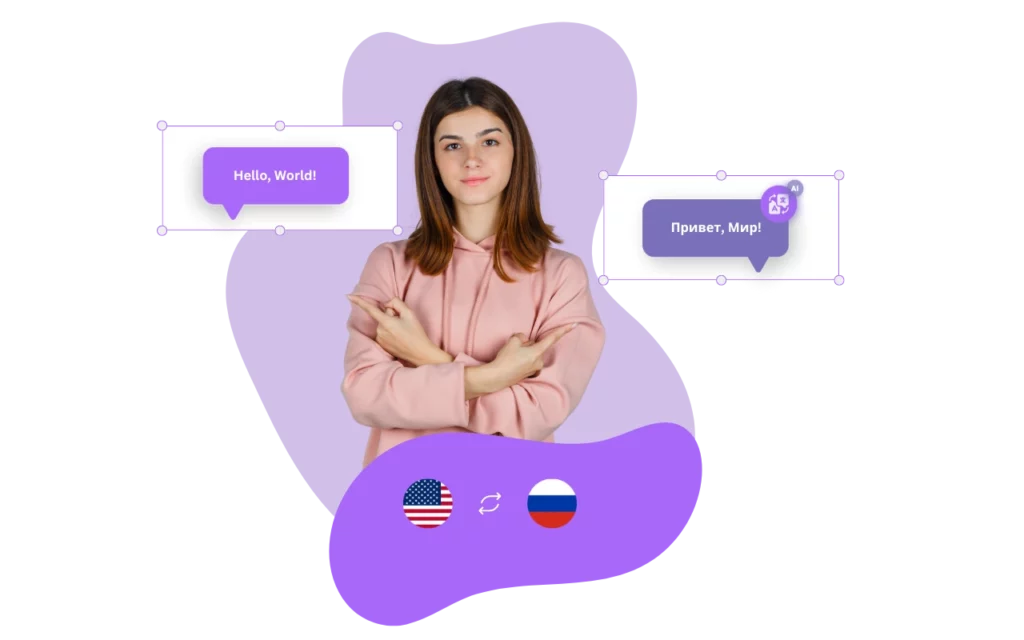
DocTranslator egy online dokumentumfordító, amely kezeli az orosz nyelvet és annak cirill betűs írását. A DocTranslator segítségével fordíthat egy Word, PDF vagy PowerPoint fájlt angolról oroszra, vagy oroszról angolra, és ugyanabban a formátumban kapja vissza a fájlt.
A DocTranslator egyik fő előnye a magas szintű pontosság. A szolgáltatás fejlett gépi tanulási algoritmusokat használ annak biztosítására, hogy a fordítások a lehető legpontosabbak legyenek. Ez azt jelenti, hogy megbízhat a DocTranslatorban, hogy olyan fordításokat készítsen, amelyek hűek dokumentumai eredeti jelentéséhez és kontextusához.
A DocTranslator másik nagyszerű tulajdonsága a használatának egyszerűsége. A szolgáltatás teljesen webes, így nincs szükség szoftver letöltésére. Egyszerűen töltse fel dokumentumát, és válassza ki a nyelveket, amelyek között fordítani szeretne. A folyamat gyors és egyszerű, így gyorsan és könnyedén elvégezheti a fordításokat.
A DocTranslator számos fájlformátumot is támogat, beleértve a Microsoft Office és az Adobe PDF formátumokat, így bármilyen szükséges dokumentumot lefordíthat. Ezenkívül a szolgáltatás számos árképzési lehetőséget kínál az Ön igényeihez, legyen Ön magánszemély vagy üzleti vállalkozás.
Összefoglalva, a DocTranslator egy praktikus online fordító orosz dokumentumokhoz, amelyek megőrzik az elrendezésüket. Fejlett gépi tanulási algoritmusainak, a fájlformátumok széles körű támogatásának és a rugalmas árazási lehetőségeknek köszönhetően a DocTranslator tökéletes választás mindazok számára, akik dokumentumokat szeretnének fordítani angolról oroszra vagy oroszról angolra.

Ismerje meg a DocTranslator!
A DocTranslator egy kifinomult online fordítószolgáltatás, amely lehetővé teszi a felhasználók számára, hogy különféle dokumentumformátumokat, köztük Word, PDF és PowerPoint fájlokat töltsenek fel, és azokat különböző nyelvekre fordítsák le. A DocTranslator kifejezetten dokumentumokhoz készült, és olyan extra funkciókat tartalmaz, amelyek alkalmasabbá teszik erre a célra, mint a standard fordítószolgáltatások.
Fordítás oroszra →
Oroszország építészeti öröksége: átjáró az időben
Oroszország lenyűgöző építészeti kincsekkel büszkélkedhet, amelyek különböző korszakokat és régiókat ölelnek fel. Moszkva ikonikus Kremlje, a Taj Mahalhoz hasonlóan, a hatalom és az odaadás szimbóluma, tiszta fehér márványból épült. Ahogy Radzsasztánban nagyszerű homokkő erődítmények találhatók, úgy Szentpétervár pompás palotái is a régi uralkodók történeteit mesélik el, a látogatókat nemes múltba merítve. Kelet felé haladva Szibéria faépítészete tükrözi a kulturális identitást, míg a UNESCO által jegyzett konarki nap templom az ősi építészeti bölcsességet tükrözi.
Egy egész weboldalt kell lefordítania egy dokumentum helyett? Partnerünk, a ConveyThis.com teljes webhelyfordítással foglalkozik, ami más feladat, mint egy fájl fordítása.

Az oroszról angolra fordítás kihívásai
Az oroszról angolra fordítás számos okból jelentős kihívásokat rejt magában. Először is, az orosz és az angol nyelv eltérő nyelvtani szerkezetekkel, szókincsekkel és idiomatikus kifejezésekkel rendelkezik. Az orosz nyelv különösen összetett nyelvtani rendszerrel rendelkezik, hat eset van a főnevek, melléknevek és névmások számára, ami megnehezíti a pontos fordítást angolra.
Ezenkívül az orosz szavaknak gyakran nincsenek közvetlen angol megfelelői, míg az idiomatikus kifejezések és a szlengek további akadályokat jelentenek. Különösen a kulturális utalások és az idiómák eltérő jelentéssel vagy felhanggal bírhatnak a nyelvek között.
Az orosz és az angol nyelv szókincsének és kifejezéseinek különbségei tovább nehezítik a fordítási erőfeszítéseket, ami megköveteli a megfelelő szavak és kifejezések gondos kiválasztását.
Ezenkívül a technikai vagy speciális terminológia hiányozhat a közvetlen fordításokból, ami újabb bonyolultsági réteget ad a folyamathoz.
Végül a szöveg kontextusának megértése elengedhetetlen a pontos fordításhoz, ami megköveteli a tantárgy és a célközönség mély megértését.
Összefoglalva, az oroszról angolra fordítás ijesztő feladat a két nyelv közötti számtalan nyelvi, kulturális és kontextuális különbség miatt.
Mi a legpontosabb orosz fordító?
Nehéz megmondani, hogy melyik online orosz fordító a legpontosabb, mivel a különböző szolgáltatások pontossága eltérő lehet a lefordítandó szöveg konkrét kontextusától és tartalmától függően. Azonban a DocTranslator fejlett gépi tanulási algoritmusai és a nagy dokumentumok kezelésének képessége miatt rendkívül pontos online fordítónak számít orosz nyelvre.
A DocTranslator egyik legfontosabb előnye, hogy képes nagy méretű, akár 5000 oldalas és 1 GB méretű dokumentumokat is fordítani. Ez ideálissá teszi azon vállalkozások vagy egyének számára, akiknek nagy mennyiségű szöveget kell gyorsan és pontosan fordítaniuk. Ezenkívül a DocTranslator számos fájlformátumot támogat, beleértve a Microsoft Office és az Adobe PDF formátumokat, így bármilyen szükséges dokumentumot lefordíthat.
Ezenkívül a DocTranslator számos árképzési lehetőséget is kínál az Ön igényeihez, legyen Ön magánszemély vagy üzleti vállalkozás, ami rugalmasabbá és hozzáférhetőbbé teszi sok felhasználó számára.
Összefoglalva, a DocTranslator egy pontos és hatékony online orosz fordító, amely képes nagy PDF-eket oroszra fordítani és támogatja a különböző fájlformátumokat. Fejlett gépi tanulási algoritmusai és rugalmas árazási lehetőségei nagyszerű választássá teszik azoknak a vállalkozásoknak és magánszemélyeknek, akiknek nagy mennyiségű szöveget kell gyorsan és pontosan fordítaniuk.
Hogyan működik
1. lépés: Hozzon létre ingyenes fiókot
Kezdje fordítási útját egy ingyenes fiók létrehozásával platformunkon. Csak néhány pillanatba telik az alapvető információk megadása és az e-mail cím megerősítése. Ez a fiók személyes központjaként fog szolgálni az összes fordítási projekt feltöltéséhez, nyomon követéséhez és kezeléséhez.
2. lépés: Töltsön fel egy fájlt
Bejelentkezés után itt az ideje feltölteni a dokumentumot. Rendszerünk számos formátumot támogat, beleértve az MS Word, Excel, PowerPoint, TXT, InDesign és CSV fájlokat. Egyszerűen húzza és ejtse a fájlt, vagy használja a "Tallózás" opciót a fájl kiválasztásához a készülékéről.
3. lépés: Válassza ki az eredeti és a célnyelvet
Adja meg azt a nyelvet, amelyen az eredeti dokumentum íródott. Ezután válassza ki a célnyelvet, amelyre a dokumentumot le szeretné fordítani. A támogatott nyelvek kiterjedt listájával tökéletesen megtalálja a közönségének megfelelő nyelvet, legyen szó üzleti ajánlatról vagy kreatív kampányról.
4. lépés: Kattintson a Fordítás gombra és töltse le
Miután beállította a nyelvi preferenciákat, kattintson az „Feltöltés” gombra a feldolgozás megkezdéséhez. Dőljön hátra és pihenjen, miközben fejlett fordítási rendszerünk dolgozik a fájlján, megőrizve az eredeti elrendezést és stílust, miközben pontos fordítást biztosít.
Fordítsa le fájlját most!
Regisztráljon még ma, és fedezze fel a DocTranslator erejét, és hogy milyen nagy különbséget jelent majd Önnek és vállalkozásának.
Partnereink
Kapcsolódó eszközök és szolgáltatások
Fájlformátumok
PDF fordítása nyelvenként
Dokumentumtípusok
Partnereink




