
HTML Language Converter
Accurate HTML translation for documents and files. Translate HTML files up to 1 GB into 120+ languages while keeping formatting and structure intact.
Upload or drop document to translate
Max. file size 1 GB
- OCR for scans and photos
- 108 languages
- Original layout kept
1M+
Documents Translated
256-bit
SSL Encryption
AI-Powered
Translation
GDPR
Compliant
Why Choose DocTranslator's HTML Translator?
DocTranslator provides advanced tools to translate HTML files accurately and efficiently. Below you can explore the main benefits that make it a reliable choice for translating HTML content:
DocTranslator supports large HTML files up to 1 GB, allowing you to handle complex projects without dividing them into smaller parts. Even when working with heavy content that includes images, scripts, and style files, the translation process remains seamless and stable, providing a smooth experience from start to finish.
The translator keeps the entire HTML structure intact, including tags, attributes, styles, and visual components. This means your page layout, styles, and design will look the same after translation. You do not need to reformat the content manually, which saves time and prevents errors during implementation or deployment.
With DocTranslator, you can translate HTML content into more than 120 languages. From global languages like Portuguese, French, and Arabic to regional ones such as Albanian or Swahili, every translation is optimized for accuracy and readability, helping you effectively reach diverse audiences around the world.
The built-in AI translation engine ensures precise, context-aware translations. It carefully processes not just the words but also the meaning behind them, maintaining the tone, intent, and clarity of your original HTML content. This makes it perfect for websites, applications, and documents that require both technical accuracy and natural-sounding language.
Popular HTML Translation Language Pairs
Affordable HTML Translation Pricing
Start free and scale as you grow. Professional results at a fraction of human translator rates.
Free
No card needed to sign up
- $0.005/word AI translation
- $1 per page for scans and image PDFs
- 108 languages
- Files up to 20 MB and 20 pages
- DOCX, PDF, XLSX, PPTX, IDML, TXT, JPG, PNG and CSV
- 24-hour file storage only
- PDF editor and PDF to DOCX converter
Basic
Most popularBilled every week · cancel any time
Billed monthly
Billed once a year · save 33%
- AI translation included every month
- Then $0.005/word AI translation
- Files up to 100 MB and 300 pages
- DOCX, PDF, XLSX, PPTX, IDML, TXT, JPG, PNG and CSV
- OCR for scanned documents
- Document storage
- Priority support
- 7-day free trial on the monthly plan
- Cancel any time
Pro
Billed monthly
Billed once a year · save 34%
- AI translation included every month
- Then $0.004/word AI translation
- Files up to 1 GB and 5,000 pages
- DOCX, PDF, XLSX, PPTX, IDML, TXT, JPG, PNG and CSV
- Glossary
- Priority queue
- 5 team seats
- API requests · 1,000 pages a month
- MCP access for AI assistants
- Cancel any time
Business
Billed monthly
Billed once a year · save 33%
- AI translation included every month
- Then $0.003/word AI translation
- Files up to 1 GB and 5,000 pages
- DOCX, PDF, XLSX, PPTX, IDML, TXT, JPG, PNG and CSV
- Glossary
- Priority queue
- 15 team seats
- API requests · 5,000 pages a month
- MCP access for AI assistants
- Cancel any time
Enterprise
Need more volume, invoicing or a custom agreement? Talk to us about an Enterprise plan.
HTML Translation Examples
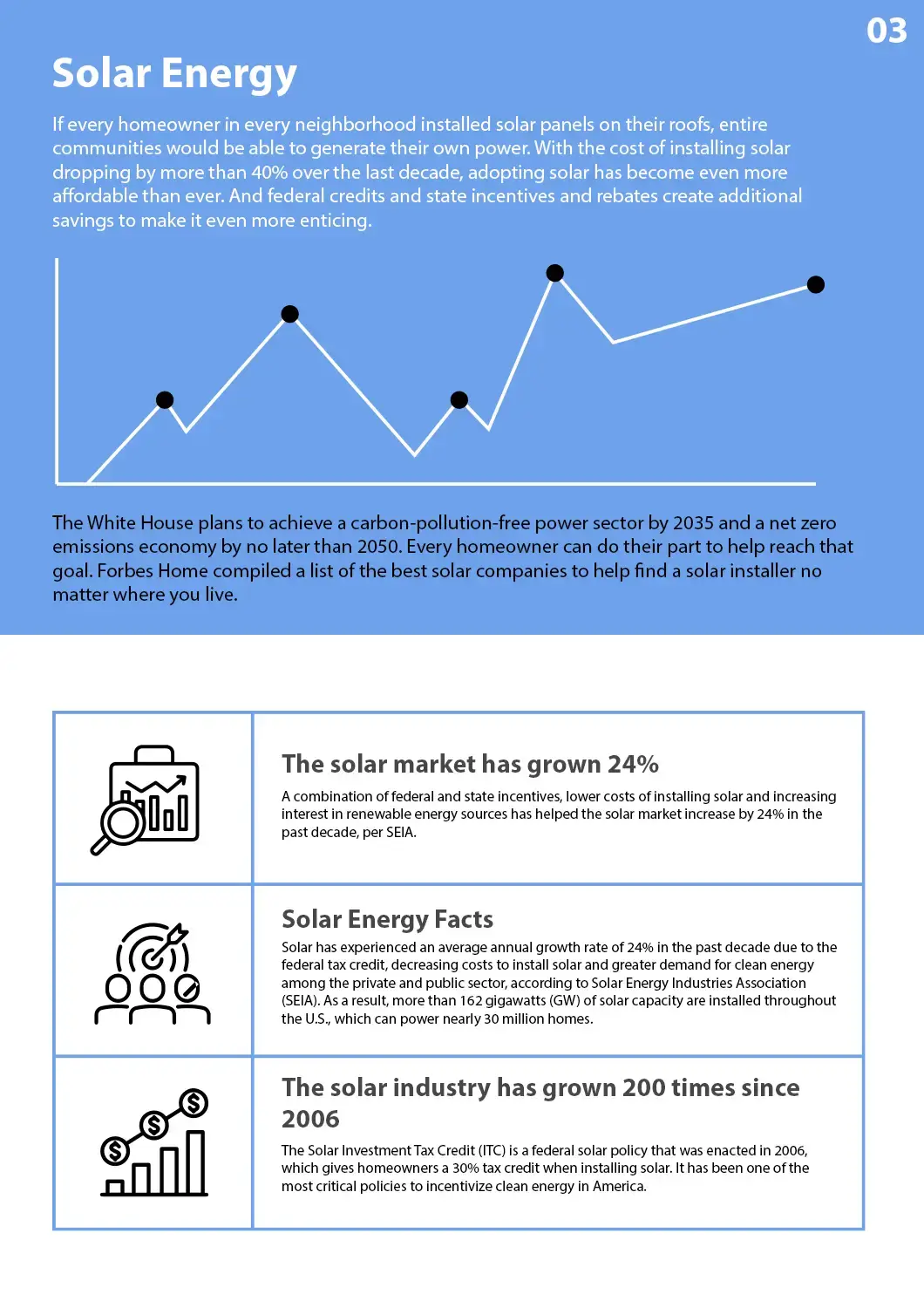
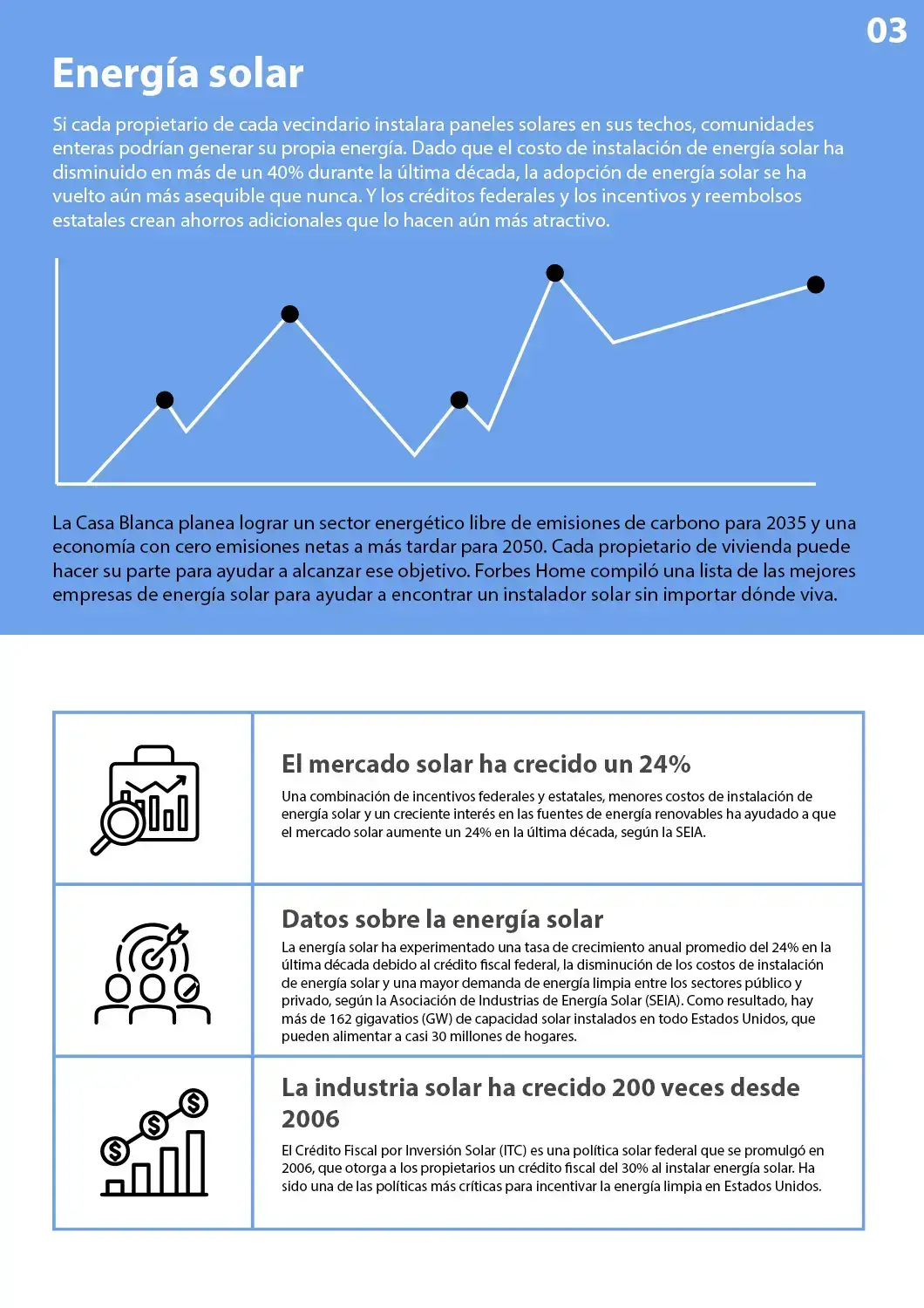
You can preview how DocTranslator processes HTML files before uploading your own. What you will see in the samples:
These examples demonstrate how our system can translate HTML files while maintaining structure and readability.


How Does Our HTML Code Translator Work?
Follow these simple steps to translate your HTML files easily. DocTranslator makes the process quick, accurate, and secure:
- 1
Create a free DocTranslator account
Sign up with your email to start using our HTML translator.
- 2
Upload your HTML file
Drag and drop your file or choose it from your device. Files up to 1 GB are supported.
- 3
Select languages
Choose the original language of your HTML file and the target language for translation.
- 4
Translate and download
Click the button to translate HTML code, and your translated file will be ready in minutes with preserved structure and formatting.
Explore More Document Translation Services
Explore More Document Translation Services
Frequently Asked Questions
How to translate a CSV file?
To translate a CSV file, upload it to DocTranslator, select the original and target languages, and click Translate. The file will be processed with formatting and structure preserved.
How to translate a CSV file from Italian to English?
Upload your Italian CSV file to DocTranslator and choose English as the target language. The translator supports over 120 languages, including Italian and English.
Translate HTML File Easily
Take advantage of DocTranslator's advanced tools to translate HTML content quickly and accurately. With support for over 120 languages, preserved formatting, and large file handling up to 1 GB, DocTranslator ensures your translated HTML remains clean and functional. Start your HTML translation today.
Related Document Tools
File Formats
Translate PDF by Language
Our Partners




