
Paper Translator
Translate paper documents seamlessly with DocTranslator. Upload scanned papers, academic reports, or handwritten files up to 1 GB in size and get accurate translations in 108 languages while preserving formatting.
Upload or drop document to translate
Max. file size 1 GB on Pro and Business
The button opens a free sign-up. The translation itself runs in your dashboard, where you choose the file again. Using an AI assistant? Connect it through MCP.
- OCR for scans and photos
- 108 languages
- Original layout kept
108 Languages
Any pair, either direction
HTTPS
Encrypted uploads
AI-Powered
Translation
Registered Trademark
U.S. Reg. No. 7,040,913
Why Choose DocTranslator for Paper Translation?
Discover why DocTranslator is the best choice to translate paper documents accurately and efficiently. Below are the main advantages:
DocTranslator allows you to translate paper document files into 108 languages with high accuracy. From widely used languages like Arabic, French, and German to less common ones such as Amharic or Nepali, you can choose exactly what you need. This makes the tool perfect for global communication and multilingual projects.
No matter the file format, such as PDF, Word, TXT, scanned images, or any other, DocTranslator ensures the structure, fonts, tables, and visual elements remain exactly as in the original. When you translate paper document files, nothing gets misplaced or broken, and your translated document looks identical to the source in layout and design.
For papers requiring extra validation, DocTranslator offers a professional translation option that includes certified notarization. When you translate paper document files for legal, governmental, or financial purposes, this feature guarantees that your translated document meets official standards and can be submitted without additional checks or manual verification.
DocTranslator uses advanced AI technology to deliver translations that are both fast and highly precise. It recognizes context, tone, and meaning to produce results that read naturally. Even if you translate paper document files with complex phrases or handwritten notes, DocTranslator maintains quality while ensuring your content stays true to the original intent.
Paper Translation Pricing
Signing up is free. Pay per document on Free, or subscribe and get AI translation included every month.
Free
No card needed to sign up
- $0.005/word AI translation
- $1 per page for PDFs and scans
- Free preview of the first page, where available
- 108 languages
- Files up to 20 MB and 20 pages
- DOCX, PDF, XLSX, PPTX, IDML, TXT, JPG, PNG and CSV
- 24-hour file storage only
- PDF editor and PDF to DOCX converter
Basic
Most popularBilled every week · cancel any time
Billed monthly
Billed once a year · save 33%
- AI translation included every month
- Then $0.005/word AI translation
- Files up to 100 MB and 300 pages
- DOCX, PDF, XLSX, PPTX, IDML, TXT, JPG, PNG and CSV
- OCR for scanned documents
- Document storage
- Priority support
- 7-day free trial on the monthly plan, up to 30,000 words
- Cancel any time
Pro
Billed monthly
Billed once a year · save 34%
- AI translation included every month
- Then $0.004/word AI translation
- Files up to 1 GB and 5,000 pages
- DOCX, PDF, XLSX, PPTX, IDML, TXT, JPG, PNG and CSV
- Glossary
- Priority queue
- 5 team seats
- API requests · 1,000 pages a month
- MCP access for AI assistants
- Cancel any time
Business
Billed monthly
Billed once a year · save 33%
- AI translation included every month
- Then $0.003/word AI translation
- Files up to 1 GB and 5,000 pages
- DOCX, PDF, XLSX, PPTX, IDML, TXT, JPG, PNG and CSV
- Glossary
- Priority queue
- 15 team seats
- API requests · 5,000 pages a month
- MCP access for AI assistants
- Cancel any time
Enterprise
Need more volume, invoicing or a custom agreement? Talk to us about an Enterprise plan.
Paper Translation Examples
Preview how DocTranslator processes paper documents before uploading your own. You will see in the examples:
- Accurate multilingual content.
- Fonts, layout, and structure preserved.
- Clear images and diagrams are maintained.
- Readable and polished results.
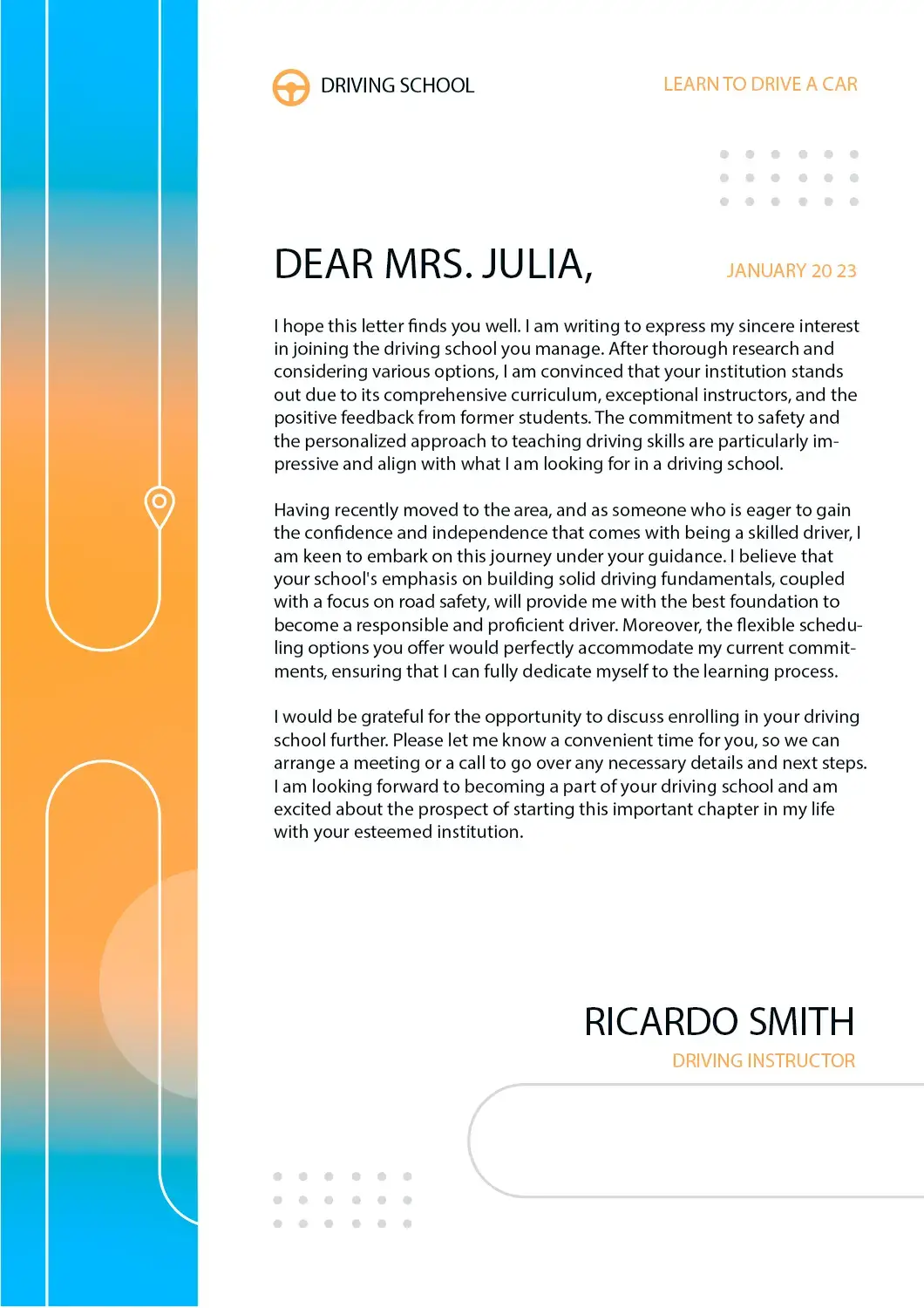
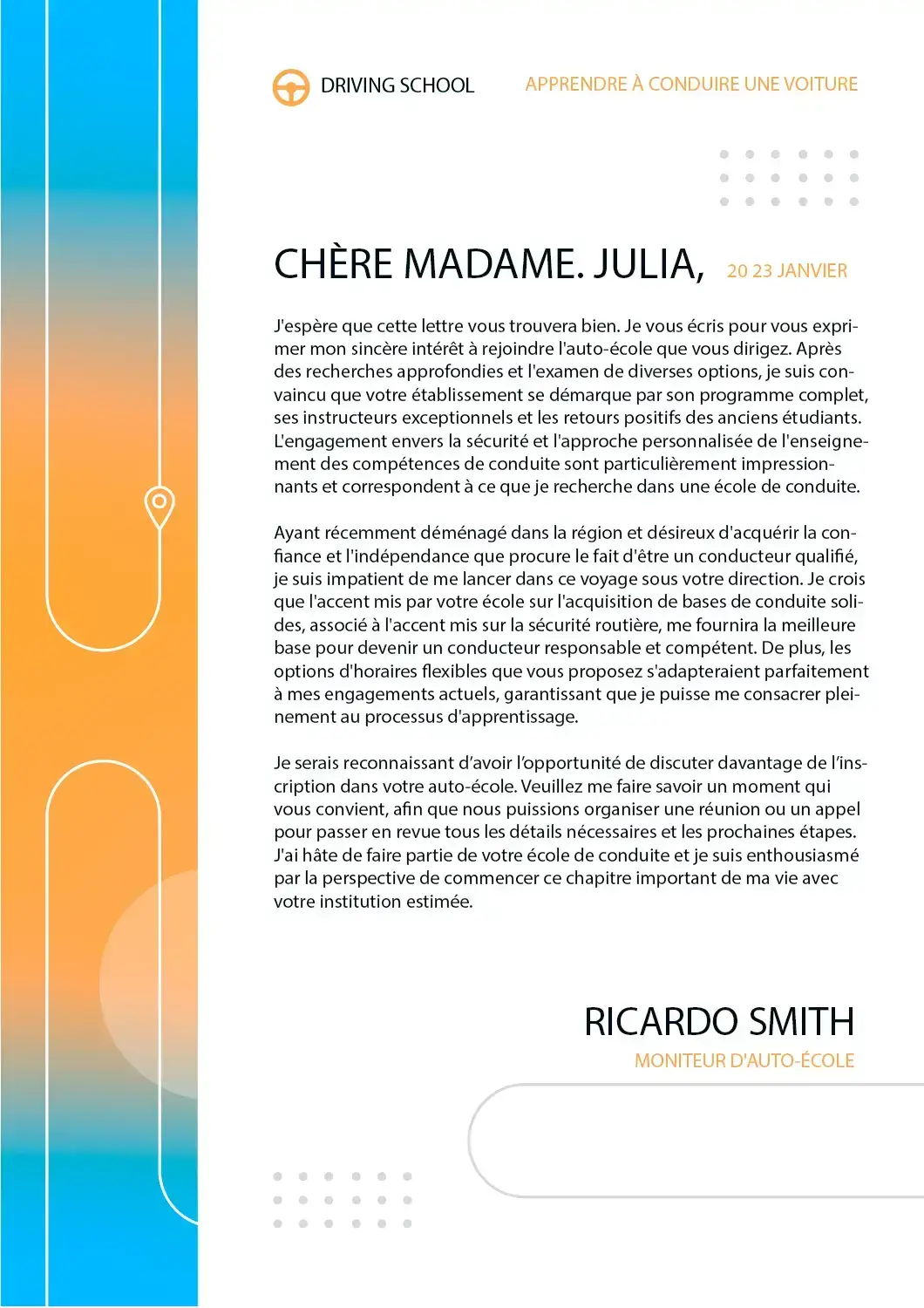


These examples demonstrate how you can translate a paper document while maintaining quality and consistency.
See all translation examples →How Does an AI Paper Translator Work?
Translating your documents with DocTranslator is simple and efficient. Just follow these four steps to translate paper online quickly and accurately:
Create a Free DocTranslator Account
Sign up using your email to get instant access to the online platform and start translating documents without software installation.
Upload Your Paper File
Drag and drop your file or select it from your device. DocTranslator supports multiple formats, including PDF, Word, TXT, and image-based scans.
Choose Languages
Select the original language of your paper and the target language. DocTranslator supports 108 global languages for seamless translations.
Click Translate and Download
The platform will translate paper online in minutes. Download your translated document with preserved formatting, fonts, and layout.
Frequently Asked Questions
Can I translate a long paper or thesis PDF in one go?
A typical journal article fits inside the Free plan, which accepts 20 pages and 20 MB per file. A full thesis with appendices usually needs Basic, at 300 pages and 100 MB, or Pro and Business, at 5,000 pages and 1 GB. Read more about translating a long thesis PDF in a single upload.
What file formats does DocTranslator support?
DocTranslator supports DOCX (Word), PDF, XLSX (Excel), PPTX (PowerPoint), IDML (InDesign), TXT, JPG, JPEG, PNG, CSV, and JSON files. You can drag and drop files or browse your device to upload them.
How much does it cost to translate documents with AI?
Signing up is free, and on the Free plan every AI translation is paid per document: $0.005 per word, or $1 per page for PDFs and scans, with a $0.99 minimum. A subscription includes AI translation every 30 days: up to 1,000 pages on Basic (from $1.99 a week) and up to 5,000 on Pro ($19.99 a month) and Business ($49.99 a month). All plans include 108 languages and full file format support.
How many languages does DocTranslator support?
DocTranslator supports 108 languages including Spanish, French, German, Chinese (Mandarin and Cantonese), Japanese, Korean, Arabic, Portuguese, Italian, Russian, and many more.
How fast is the AI document translation?
It depends mostly on the document. A short PDF with a text layer comes back sooner than a long scan, because each scanned page has to be recognised (OCR) before it can be translated. There is no setup step before that: you upload the file, choose the two languages, click "Translate" and download the result in its original format and layout.
Does DocTranslator preserve the original document formatting?
Yes, DocTranslator maintains the original language style, formatting, fonts, and layout of your document. The AI ensures accuracy and context while preserving the natural flow of your original document across all supported formats.
Is my document secure when using DocTranslator?
Yes, all communications with DocTranslator are encrypted. Your private documents are handled with discretion, and only authorized personnel can view your files. DocTranslator has robust privacy policies in place.
Can I preview my translation before paying?
Yes, where a preview is available for your language pair. After you upload a file, DocTranslator shows its first page already translated, free of charge, before you pay; for EPUB and HTML files it is the opening section. For a fuller check, the monthly Basic plan starts with a 7-day free trial for up to 30,000 words, or you can pay for a short document on its own, from $0.99.
What's the difference between AI translation and human translation?
AI translation is instant and affordable ($0.005/word on Free, less on Pro, paid per document) and ideal for quick understanding of content. For official purposes like USCIS submissions that require certified and notarized translations, you must use human translation services.
How do I get started with DocTranslator?
Create a free DocTranslator account by signing up with your name, email, and password. Then upload your file (Word, PDF, PowerPoint, etc.), select source and target languages, click "Translate," and download your translated document.
Try Our Paper Language Translator Today
Experience fast and accurate translations with DocTranslator's advanced paper translator. Upload your document, select your target language, and get a perfectly formatted translation in minutes. Start translating your papers online now and see how simple and effective it can be.
Our Partners




Related Translation Services
File Formats
Document Types