
Translate PDF to Arabic
Convert English PDFs into Arabic with the full right-to-left layout mirrored automatically: columns switch sides, margins reverse, and reading order adjusts so the Arabic output reads naturally from right to left. Files up to 1 GB.
Upload or drop document to translate
Max. file size 1 GB on Pro and Business
The button opens a free sign-up. The translation itself runs in your dashboard, where you choose the file again. Using an AI assistant? Connect it through MCP.
- OCR for scans and photos
- 108 languages
- Original layout kept
What happens when you translate a PDF into Arabic
Arabic is written from right to left, which means an English PDF does not just need its words swapped. The entire visual structure of the document has to mirror. Columns that ran left to right switch sides. Margins that were wide on the left become wide on the right. Reading order reverses so that a reader moving from right to left encounters the text in the correct sequence. DocTranslator handles this automatically, so the Arabic output is not simply words pasted into the old English shell but a properly oriented document.
Arabic letters are also context-sensitive in a way that Latin letters are not. Every letter has up to four different shapes depending on where it appears in a word: an initial form at the start, a medial form in the middle, a final form at the end, and an isolated form when the letter stands alone. These forms connect to form a continuous cursive line even in printed text. Short vowel marks are usually omitted in formal written Arabic, so readers infer them from context. This is standard in Modern Standard Arabic, the formal written register used across official documents, news, and business correspondence. The spoken dialects of different regions differ considerably, but for document translation Modern Standard Arabic is the correct target.
Font choice also matters more in Arabic than in most Latin-script languages. Arabic text in PDFs often uses specific typefaces per region: Naskh is the standard body-text style used across most formal documents, while Kufi and other decorative styles appear in headings and branding. Numbers add another layer: Arabic-speaking regions sometimes use Eastern Arabic numerals (the series ٠١٢٣٤٥٦٧٨٩) alongside the Western numerals familiar from English. The translation output preserves number formats as they appear in the source, and the embedded font covers the complete Arabic character set so nothing renders as a blank square or a substitution glyph.
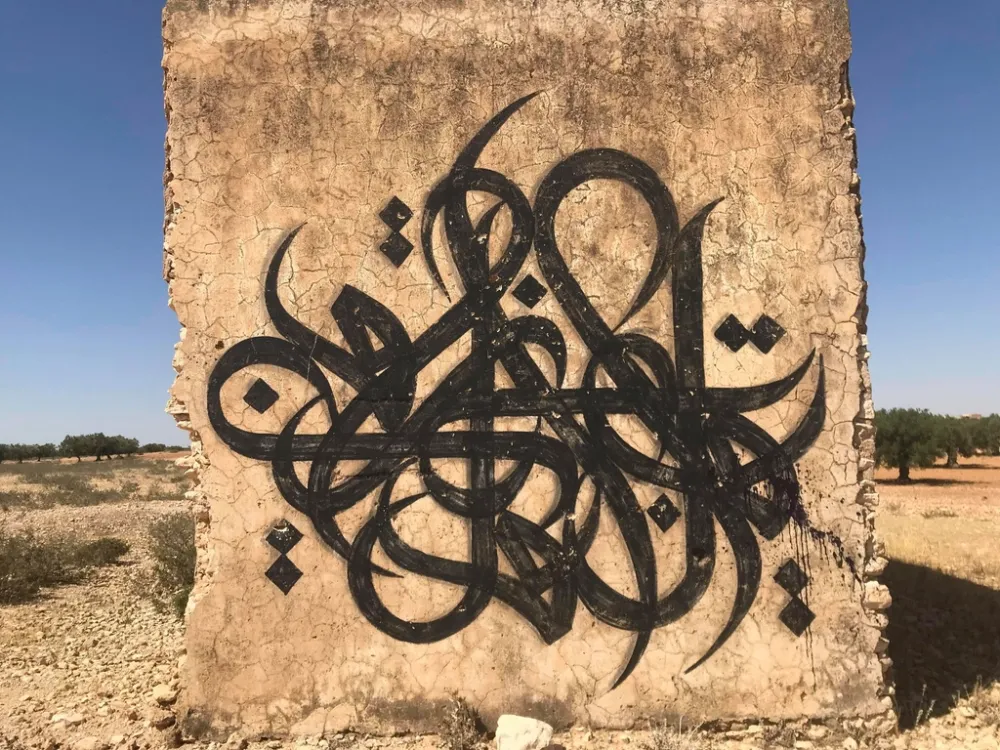
Arabic is not one dialect but many written forms
Modern Standard Arabic is the formal written language shared across 22 Arab-majority countries, used in official documents, news, and formal correspondence. It descends from Classical Arabic, the language of the Quran. Spoken dialects diverge considerably between regions: Egyptian Arabic, Levantine Arabic, Gulf Arabic, and Moroccan Arabic differ enough that speakers from opposite ends of the Arab world sometimes struggle to understand each other in conversation, yet all share the same written formal register. For most document translation purposes, Modern Standard Arabic is the correct target. If a document is aimed at a specific regional market, a native reviewer can adjust idioms and phrasing afterward.
The Arabic script is one of the world's most widely used writing systems, running from right to left. Every letter connects to its neighbors, forming a flowing, cursive line even in print. This means that font choice matters in the PDF output: a font that does not include all ligature forms will produce broken or ugly output. DocTranslator uses fonts that cover the full range of letter combinations, so the Arabic PDF renders cleanly rather than showing substitution marks.
Documents people translate between English and Arabic
Arabic is spoken by around 300 million people across the Middle East and North Africa, which means the range of documents that cross between Arabic and English is broad and practically driven:
- Immigration and visa applications for Gulf countries, Egypt, and Morocco
- Legal contracts and agreements with companies in the Middle East
- Birth certificates and personal documents for diaspora communities in Europe and the US
- Medical reports and prescriptions between Arabic-speaking hospitals and international patients
- Business proposals and financial documents for Saudi Arabia, UAE, and other Gulf markets
- Technical manuals for industrial equipment exported to Arabic-speaking countries
AI translation works well for reading a document, sharing it internally, or producing a working draft. Official submissions to a government office or immigration authority typically require a certified translation reviewed and signed by a qualified human translator.
English to Arabic PDF translation pricing
Sign up free, pay per document, and upgrade as your translation needs grow.
Free
No card needed to sign up
- $0.005/word AI translation
- $1 per page for PDFs and scans
- Free preview of the first page, where available
- 108 languages
- Files up to 20 MB and 20 pages
- DOCX, PDF, XLSX, PPTX, IDML, TXT, JPG, PNG and CSV
- 24-hour file storage only
- PDF editor and PDF to DOCX converter
Basic
Most popularBilled every week · cancel any time
Billed monthly
Billed once a year · save 33%
- AI translation included every month
- Then $0.005/word AI translation
- Files up to 100 MB and 300 pages
- DOCX, PDF, XLSX, PPTX, IDML, TXT, JPG, PNG and CSV
- OCR for scanned documents
- Document storage
- Priority support
- 7-day free trial on the monthly plan, up to 30,000 words
- Cancel any time
Pro
Billed monthly
Billed once a year · save 34%
- AI translation included every month
- Then $0.004/word AI translation
- Files up to 1 GB and 5,000 pages
- DOCX, PDF, XLSX, PPTX, IDML, TXT, JPG, PNG and CSV
- Glossary
- Priority queue
- 5 team seats
- API requests · 1,000 pages a month
- MCP access for AI assistants
- Cancel any time
Business
Billed monthly
Billed once a year · save 33%
- AI translation included every month
- Then $0.003/word AI translation
- Files up to 1 GB and 5,000 pages
- DOCX, PDF, XLSX, PPTX, IDML, TXT, JPG, PNG and CSV
- Glossary
- Priority queue
- 15 team seats
- API requests · 5,000 pages a month
- MCP access for AI assistants
- Cancel any time
Enterprise
Need more volume, invoicing or a custom agreement? Talk to us about an Enterprise plan.
How to translate your PDF to Arabic
Create a free account
Sign up with your email to access the online translation dashboard.
Upload your PDF file
Drag and drop your file or browse to select it. Files up to 1 GB are supported on the Pro and Business plans.
Choose Arabic as target language
Select the original language of your PDF and set Arabic as the target language.
Translate and download
Click "Translate" and wait a few moments. Your translated PDF will be ready to download in Arabic, with the right-to-left layout applied.
English to Arabic PDF translation FAQ
Does the PDF layout flip to right-to-left for Arabic?
Yes. Arabic runs right to left, so the translated PDF mirrors the original: the reading order, margins, and column flow are reversed. Text that was left-aligned in English becomes right-aligned in Arabic, and a two-column layout switches its columns. This is handled automatically.
Which Arabic should I use: Modern Standard Arabic or a regional dialect?
DocTranslator outputs Modern Standard Arabic, the formal written register shared across 22 Arab-majority countries. It is the correct choice for official documents, legal contracts, and formal business correspondence. Spoken dialect differences (Egyptian, Gulf, Levantine, etc.) are mainly oral; for written PDFs, Modern Standard Arabic reads correctly everywhere.
Will Arabic characters and ligatures display correctly?
Yes. Arabic letters change shape depending on their position in a word, and connected pairs form ligatures. The output uses a font that covers the full Arabic character set and its ligature forms, so the text flows naturally rather than showing broken fragments or substitution marks.
Can I translate from Arabic into English as well?
Yes. The pair works both ways. Arabic to English also converts the reading direction: right-to-left source becomes left-to-right output, and the layout is re-fitted accordingly.
Is AI translation enough for immigration documents in Arabic?
For reading and internal use, yes. Official submissions to immigration authorities typically require a certified, human-reviewed translation. See our certified translation option for documents submitted to government offices.
How large an Arabic PDF can I upload?
Up to 1 GB or 5,000 pages on Pro and Business, 100 MB and 300 pages on Basic, and 20 MB and 20 pages on Free. Translating a short sample first costs from $0.99 and is enough to check the Arabic output on a sample first.
Do Eastern Arabic numerals appear in the output?
The translation uses Arabic text conventions. Numerals in the body text follow the original PDF. Formal Modern Standard Arabic documents in many countries use Western (Latin) numerals, while some regional contexts use Eastern Arabic numerals (٠١٢٣٤٥٦٧٨٩). If you need a specific numeral style, you can specify that in a note when uploading.
Translate your PDF to Arabic today
DocTranslator converts PDFs between English and Arabic online, mirroring the right-to-left layout automatically and rendering the full Arabic script correctly, with file support up to 1 GB.
Related Tools
Translate PDF by Language
Document Types
Our Partners




