
How to Translate Entire PDF?
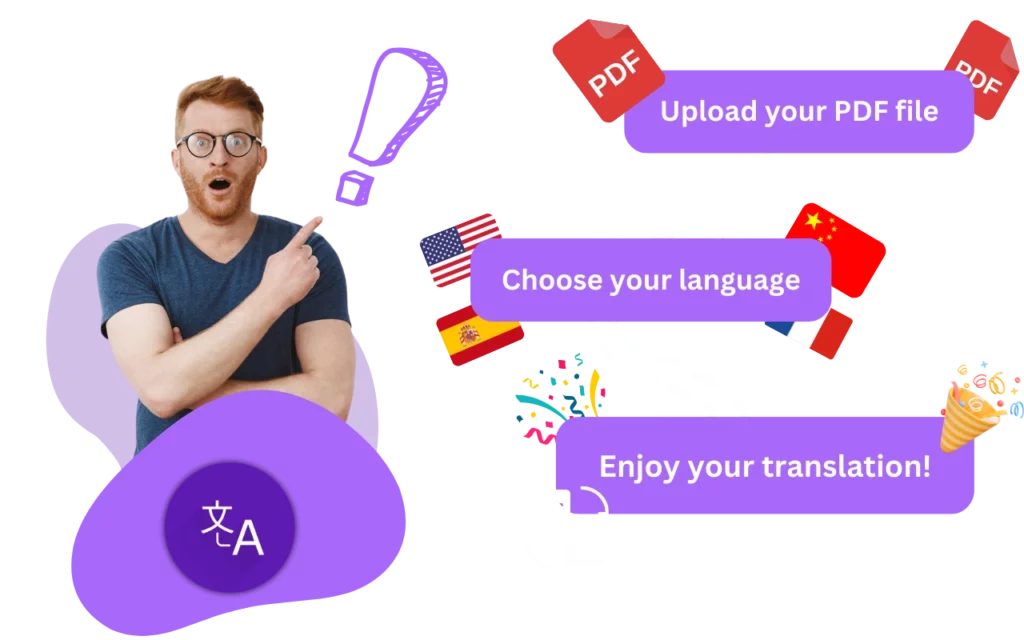
We can translate anything for you, upload your PDF, TXT or DOCX file, and get your fast online translation!
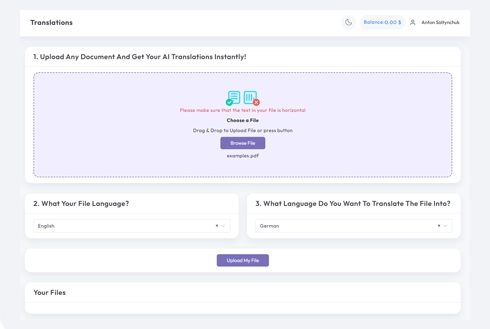
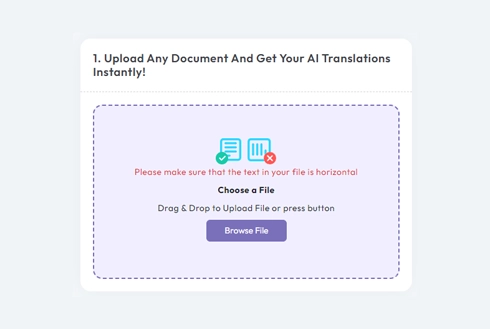
Upload or drop document to translate
Max. file size 1 GB
- OCR for scans and photos
- 108 languages
- Original layout kept
Revolutionizing Communication
Translate Entire PDF
Yes, you can translate a whole document. There are a number of tools available that can help you translate a document, including:
- Online translation tools: There are many websites that offer translation services, such as Google Translate. Simply upload your document to the website and select the languages you want to translate from and to.
- Translation software: There are also a number of translation software programs available that you can install on your computer. These programs can translate documents and even entire websites. Some popular translation software programs include SDL Trados and memoQ.
- Translation agencies: If you need a professional translation of a document, you can also hire a translation agency. Translation agencies employ professional translators who are experts in a variety of languages and subject areas. They can translate your document quickly and accurately.
Regardless of which option you choose, it's important to keep in mind that machine translations (such as those produced by Google Translate) are not always perfect, and professional human translation is often more accurate and nuanced.
Meet DocTranslator!
DocTranslator is a sophisticated online translation service that allows users to upload various document formats, including Word, PDF, and PowerPoint, and have them translated into different languages. Leveraging the power of the Google Translate engine, DocTranslator is specifically designed for documents and includes extra features that make it more suitable for this purpose compared to standard translation services.
What is PDF?
PDF, short for Portable Document Format, has become a standard for sharing documents due to its ability to preserve the layout and formatting across different platforms and devices. Beyond its static appearance, PDFs can also include interactive elements such as clickable links, form fields, and multimedia content. This makes them ideal for a wide range of purposes, including business reports, academic papers, legal documents, and user manuals.
Moreover, PDFs offer security features like password protection and digital signatures, ensuring confidentiality and authenticity of the content. They can be easily shared via email, cloud storage, or websites, making them a convenient choice for distributing information to a wide audience.
In addition to their practicality, PDFs are also environmentally friendly, as they reduce the need for printing and shipping physical copies of documents. This makes them a sustainable option for businesses and organizations looking to minimize their carbon footprint.
Overall, PDFs play a crucial role in modern communication and documentation, providing a reliable and versatile format for sharing information in both personal and professional settings.
DocTranslator vs Google Translate
DocTranslator versus Google Translate when contrasting DocTranslator and also Google Translate it's crucial to consider their abilities in converting whole PDF data while protecting the initial format coupled with format. Does Google Translate have this function? The solution isn't simple. Google Translate does have the capacity to convert whole PDFs however it does not have the capability to preserve the initial format and also format. This difference originates from the essential distinction in between both solutions. Google Translate runs extra like an automated thesaurus than a specialist translation solution. It depends on seeking out words in its data source along with offering their meanings in the asked for language. The disadvantage of this technique hinges on its lack of ability to grasp context. While DocTranslator can properly equate paragraphs or web pages from real papers Google Translate battles to realize exactly how words incorporate right into sentences or paragraphs. As a result also if a PDF has actually been equated by DocTranslator in advance Google Translate might generate mistakes when trying to retranslate it right into English as it falls short to identify the file's style as well as framework.
Need to translate a whole website rather than a document? Our partner ConveyThis.com handles full-site translation, which is a different job from translating a file.
Choose Your Plan
Signing up is free. Pay per document on Free, or subscribe and get AI translation included every month.
Free
No card needed to sign up
- $0.005/word AI translation
- $1 per page for scans and image PDFs
- 108 languages
- Files up to 20 MB and 20 pages
- DOCX, PDF, XLSX, PPTX, IDML, TXT, JPG, PNG and CSV
- 24-hour file storage only
- PDF editor and PDF to DOCX converter
Basic
Most popularBilled every week · cancel any time
Billed monthly
Billed once a year · save 33%
- AI translation included every month
- Then $0.005/word AI translation
- Files up to 100 MB and 300 pages
- DOCX, PDF, XLSX, PPTX, IDML, TXT, JPG, PNG and CSV
- OCR for scanned documents
- Document storage
- Priority support
- 7-day free trial on the monthly plan
- Cancel any time
Pro
Billed monthly
Billed once a year · save 34%
- AI translation included every month
- Then $0.004/word AI translation
- Files up to 1 GB and 5,000 pages
- DOCX, PDF, XLSX, PPTX, IDML, TXT, JPG, PNG and CSV
- Glossary
- Priority queue
- 5 team seats
- API requests · 1,000 pages a month
- MCP access for AI assistants
- Cancel any time
Business
Billed monthly
Billed once a year · save 33%
- AI translation included every month
- Then $0.003/word AI translation
- Files up to 1 GB and 5,000 pages
- DOCX, PDF, XLSX, PPTX, IDML, TXT, JPG, PNG and CSV
- Glossary
- Priority queue
- 15 team seats
- API requests · 5,000 pages a month
- MCP access for AI assistants
- Cancel any time
Enterprise
Need more volume, invoicing or a custom agreement? Talk to us about an Enterprise plan.
HOW IT'S WORK
Step 1: Create a Free Account
Begin your translation journey by setting up a free account on our platform. It only takes a few moments to provide your basic information and confirm your email address. This account will serve as your personalized hub for uploading, tracking, and managing all your translation projects.
Step 2: Upload a File
After logging in, it's time to upload your document. Our system supports a wide variety of formats, including MS Word, Excel, PowerPoint, TXT, InDesign, and CSV. Simply drag and drop your file or use the "Browse" option to select the file from your device.
Step 3: Select the Original and Target Languages
Specify the language in which your original document is written. Then, choose the target language to which you want the document translated. With our extensive list of supported languages, you'll find the perfect match for your audience, whether it's for a business proposal or a creative campaign.
Step 4: Click the Translate Button and Download
Once you've set your language preferences, click the "Upload" button to begin processing. Sit back and relax while our advanced translation system works on your file, maintaining the original layout and style while delivering an accurate translation.
Frequently Asked Questions
How do I translate an entire PDF document?
Create a free account, upload your PDF, choose the original and target languages, then click Translate and download the finished file. DocTranslator processes the whole document at once and keeps the original formatting and layout.
How large a PDF can I translate?
On Pro and Business, DocTranslator handles files up to 1 GB or 5,000 pages (Basic 100 MB and 300 pages, Free 20 MB and 20 pages), which is far beyond the roughly 10 MB cap on tools like Google Translate, so you can translate full-length reports, manuals, and books in a single upload.
How many languages can I translate a PDF into?
You can translate a PDF into 120+ languages. Select the source language your document is written in and the target language you need, and the translation is generated using a neural machine translation engine.
Will the translated PDF keep its original formatting?
Yes. DocTranslator preserves the original formatting and layout of your PDF, including the structure of paragraphs and pages, so the translated file looks like the source document.
Can I translate a scanned PDF?
Yes. DocTranslator has built-in OCR for scanned PDFs and images, so text inside scans and JPG or PNG files can be recognized and translated alongside standard documents.
How much does it cost to translate a PDF?
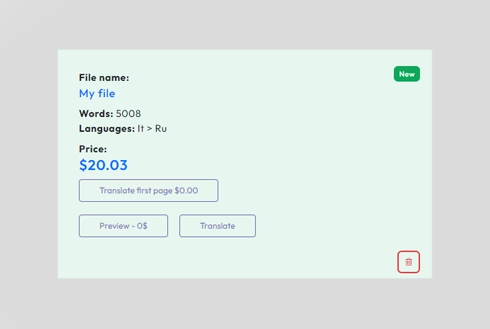
On the Free plan the whole PDF is billed as one document: $0.005 per word, or $1 per page if it is a scan, with a $0.99 minimum. A Basic, Pro or Business subscription instead draws the PDF from a quota of translated pages that resets every 30 days (see pricing). For certified or notarized translations, such as USCIS submissions, human translation is required.
Translate your file now!
Sign up today and discover the power of DocTranslator and how much difference it'll make for you and your business.
Our Partners




Related Translation Services
DocTranslator vs Others
PDF Tools