
Translate PDF to Kazakh
Convert PDFs to Kazakh with support for both the Cyrillic and Latin-script writing systems currently in use during Kazakhstan's official script transition. The 42-letter Kazakh Cyrillic alphabet, including 9 letters unique to Kazakh, is fully supported. Layout and formatting are preserved. Files up to 1 GB.
Upload or drop document to translate
Max. file size 1 GB on Pro and Business
The button opens a free sign-up. The translation itself runs in your dashboard, where you choose the file again. Using an AI assistant? Connect it through MCP.
- OCR for scans and photos
- 108 languages
- Original layout kept
What happens when you translate a PDF into Kazakh
Translating a PDF into Kazakh presents a challenge that most other languages do not: the target language is officially in the middle of a script transition. Kazakhstan adopted the Cyrillic alphabet in the 1940s during the Soviet period. In 2017, President Nazarbayev signed a decree initiating a transition from Cyrillic to a new Latin-based alphabet, with a target of completing the switch by 2025. The result is that contemporary Kazakhstan operates with two active writing systems simultaneously. Government ministries publish documents in Cyrillic. Schools are introducing the Latin script. National identity documents, university diplomas, and oil-sector contracts may appear in either script depending on when they were issued. A PDF translation workflow that handles only one script will be incomplete for practical business use in Kazakhstan today.
At the alphabet level, Kazakh Cyrillic uses 42 letters, compared to the 33 in Russian Cyrillic. The 9 additional letters represent Kazakh vowel and consonant sounds absent from Russian: the back unrounded vowel similar to a schwa, the front rounded vowel, the velar nasal, the uvular stop, the voiced uvular fricative, and several others. These letters do not exist in standard Cyrillic fonts designed for Russian, which means that poorly exported PDFs frequently display blank squares or substituted characters wherever these Kazakh-specific letters appear. DocTranslator uses fonts that include the full Kazakh Cyrillic character range so the translated output renders all 42 letters correctly.
Kazakh belongs to the Turkic language family, in the same branch as Azerbaijani, Uzbek, Kyrgyz, and Turkish. It is agglutinative, meaning that grammatical relationships are expressed by stacking suffixes onto a root word rather than using separate prepositions or auxiliary words. Kazakh also follows strict vowel harmony: suffixes must match the front or back vowel quality of the root they attach to. Word order is subject-object-verb, the opposite of English subject-verb-object order. There is no grammatical gender. These structural features mean that the translated text will differ significantly from the source document in sentence length, word order, and the visual density of individual words on the page.
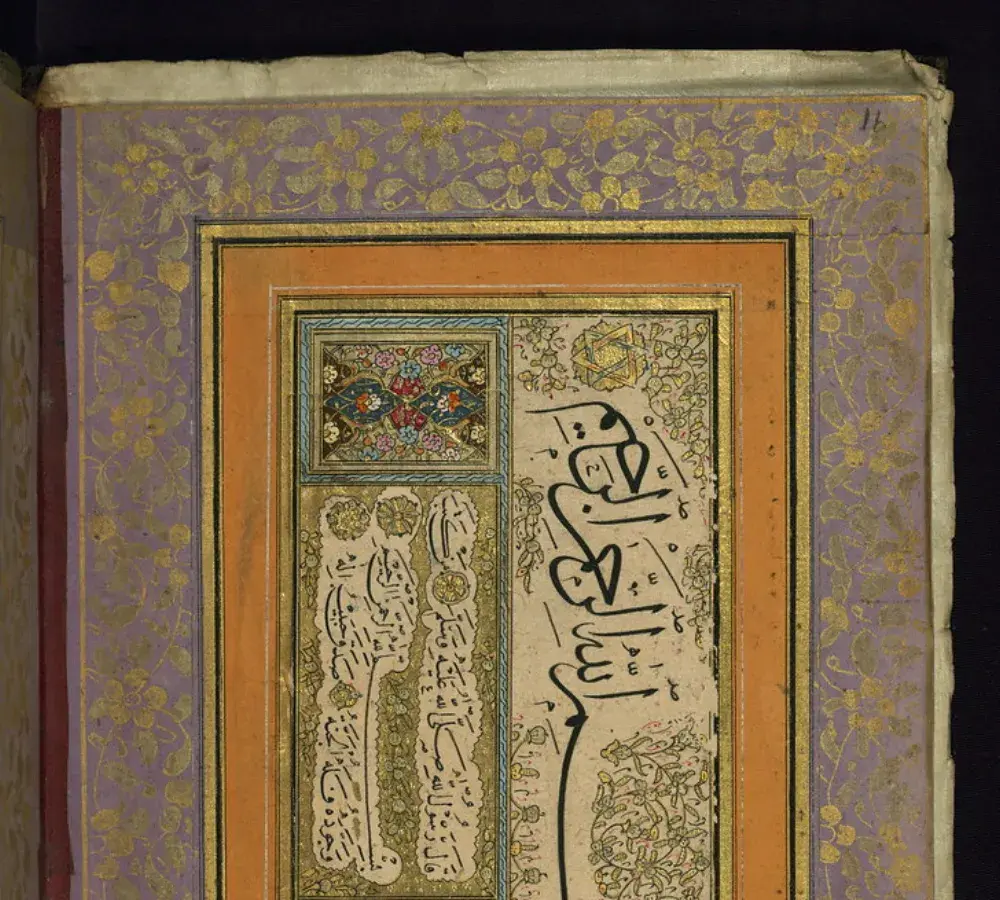
Kazakhstan's script transition and what it means for documents
The Kazakh script transition is not a clean cutover. Organizations are adopting the new Latin alphabet on different timelines, and the revised Latin standard itself has been updated multiple times since 2017, with changes to how certain sounds are represented. This creates a practical problem for document translation: a diploma issued by Nazarbayev University in 2023 may appear in Latin script, while a national ID card from the same year may still use Cyrillic, and a legal contract signed between a Kazakhstani company and a foreign partner may include both scripts in different sections. Any translation service used for Kazakhstani documents must be able to identify which script the source uses and produce output in the preferred target script, whether that is Cyrillic for existing records or Latin for new-issue documents.
Kazakh is spoken by more than 13 million native speakers. The main concentration is in Kazakhstan, where it is the official state language. Significant Kazakh-speaking communities also exist in the Xinjiang region of China, in Russia (where the Kazakh diaspora numbers in the hundreds of thousands), and in Mongolia. Kazakhstan is a major oil and gas producer, with fields including Tengiz and Kashagan operated by international consortia involving Chevron, Shell, and ExxonMobil. This means that Kazakhstani-language documents appear regularly in international energy-sector contexts, where accurate translation is commercially significant. Kazakh-speaking diaspora communities in Russia and Germany also generate steady demand for translating immigration and civil status documents.
Documents people translate between English and Kazakh
Demand for English-Kazakh document translation comes from several distinct sectors. Energy companies working on the Tengiz and Kashagan fields regularly translate operational and contractual documents between Kazakh, Russian, and English. The Kazakhstani diaspora in Russia and Germany needs civil status documents translated for immigration and residency procedures. Academic institutions require diploma and transcript translation for international applicants. The most common document types include:
- Kazakhstani national identity documents and passports for diaspora communities applying for residency in Russia, Germany, and other countries
- Diplomas and transcripts from Nazarbayev University and other Kazakhstani institutions for international credential recognition
- Oil and gas sector contracts and technical agreements involving Chevron, Shell, ExxonMobil, and their Kazakhstani joint-venture partners
- Birth certificates, marriage certificates, and divorce certificates for civil status registration abroad
- Corporate registration documents and shareholder agreements for foreign direct investment in Kazakhstan
- Medical records for Kazakh-speaking patients seeking treatment in international facilities or applying for insurance abroad
AI translation works well for reading a Kazakh document, preparing a working draft, or understanding the content of an unfamiliar Kazakh-language PDF. Official submissions to a government office, immigration authority, or court typically require a certified translation reviewed and signed by a qualified human translator. If you are translating Kazakhstani documents for a US immigration application, see our USCIS certified translation services for the requirements and process.
English to Kazakh PDF translation pricing
Sign up free, pay per document, and upgrade as your translation needs grow.
Free
No card needed to sign up
- $0.005/word AI translation
- $1 per page for PDFs and scans
- Free preview of the first page, where available
- 108 languages
- Files up to 20 MB and 20 pages
- DOCX, PDF, XLSX, PPTX, IDML, TXT, JPG, PNG and CSV
- 24-hour file storage only
- PDF editor and PDF to DOCX converter
Basic
Most popularBilled every week · cancel any time
Billed monthly
Billed once a year · save 33%
- AI translation included every month
- Then $0.005/word AI translation
- Files up to 100 MB and 300 pages
- DOCX, PDF, XLSX, PPTX, IDML, TXT, JPG, PNG and CSV
- OCR for scanned documents
- Document storage
- Priority support
- 7-day free trial on the monthly plan, up to 30,000 words
- Cancel any time
Pro
Billed monthly
Billed once a year · save 34%
- AI translation included every month
- Then $0.004/word AI translation
- Files up to 1 GB and 5,000 pages
- DOCX, PDF, XLSX, PPTX, IDML, TXT, JPG, PNG and CSV
- Glossary
- Priority queue
- 5 team seats
- API requests · 1,000 pages a month
- MCP access for AI assistants
- Cancel any time
Business
Billed monthly
Billed once a year · save 33%
- AI translation included every month
- Then $0.003/word AI translation
- Files up to 1 GB and 5,000 pages
- DOCX, PDF, XLSX, PPTX, IDML, TXT, JPG, PNG and CSV
- Glossary
- Priority queue
- 15 team seats
- API requests · 5,000 pages a month
- MCP access for AI assistants
- Cancel any time
Enterprise
Need more volume, invoicing or a custom agreement? Talk to us about an Enterprise plan.
How to translate your PDF to Kazakh
Create a free account
Sign up with your email to access the online translation dashboard.
Upload your PDF file
Drag and drop your file or browse to select it. Files up to 1 GB are supported on the Pro and Business plans.
Choose Kazakh as target language
Select the original language of your PDF and set Kazakh as the target language. The output will include all 42 Kazakh Cyrillic letters rendered correctly, including the 9 letters unique to Kazakh that do not appear in Russian Cyrillic.
Translate and download
Click "Translate" and wait a few moments. Your translated PDF will be ready to download in Kazakh with the original layout preserved.
English to Kazakh PDF translation FAQ
Does DocTranslator support both Cyrillic and Latin-script Kazakh?
Kazakh is currently used in two scripts: the 42-letter Cyrillic alphabet adopted in the Soviet period and the new Latin-based alphabet introduced by Kazakhstan's 2017 presidential decree. DocTranslator handles Cyrillic-script Kazakh, which remains the dominant script in official documents, national IDs, and most published material as of 2024. Latin-script Kazakh is supported as the new standard is adopted more broadly.
Why are some characters missing or displayed as squares in Kazakh PDFs?
Kazakh Cyrillic uses 42 letters, of which 9 are unique to Kazakh and do not appear in Russian Cyrillic. Many standard Cyrillic fonts used in PDF generation are designed for Russian and omit these 9 Kazakh-specific characters. When a PDF is created with such a font and then converted or exported, those letters appear as blank squares or question marks. DocTranslator uses fonts that include the full Kazakh Cyrillic range so all 42 letters render correctly in the translated output.
How does Kazakh grammar affect the length and layout of a translated PDF?
Kazakh is agglutinative and follows subject-object-verb word order, the reverse of English. Grammatical relationships expressed in English with separate prepositions and auxiliary words are expressed in Kazakh by stacking suffixes onto a single root. This means Kazakh words can be significantly longer than their English equivalents, and sentences are structured differently. Translated text blocks may expand or shift position compared to the original layout. DocTranslator attempts to preserve the original formatting while accommodating these structural differences.
What Kazakhstani documents are commonly translated for immigration purposes?
The most frequently translated documents are Kazakhstani national identity cards, passports, birth certificates, marriage certificates, and university diplomas. Kazakh diaspora communities in Russia and Germany regularly need these translated for residency applications and civil status registration. For official submissions to immigration authorities in the United States, a certified translation is required and must meet USCIS standards.
Can I translate oil and gas sector contracts from Kazakh into English?
Yes. The Kazakh-English pair works in both directions. Energy-sector contracts, joint-venture agreements, and technical documents from Kazakhstani operations involving Tengiz, Kashagan, and other fields are regularly translated for international partners including Chevron, Shell, and ExxonMobil. DocTranslator handles large PDF files up to 1 GB, which is suitable for multi-page commercial contracts. For legally binding submissions, a certified human review is recommended.
Is Kazakh related to Turkish or Uzbek?
Yes. Kazakh belongs to the Kipchak branch of the Turkic language family, making it closely related to Kyrgyz and more distantly related to Uzbek, Azerbaijani, and Turkish. All Turkic languages share core grammatical features: they are agglutinative, vowel-harmonic, lack grammatical gender, and follow subject-object-verb word order. This family relationship means that translation models trained on multiple Turkic languages tend to handle Kazakh more accurately than those trained only on unrelated languages.
How large a Kazakh PDF can I translate?
Up to 1 GB or 5,000 pages on Pro and Business, 100 MB and 300 pages on Basic, and 20 MB and 20 pages on Free. Translating a short sample first costs from $0.99 and is enough to verify how Kazakh Cyrillic characters and document formatting are handled on a sample before processing a full contract, diploma, or identity document.
Translate your PDF to Kazakh today
DocTranslator converts PDFs to Kazakh online, rendering all 42 Kazakh Cyrillic letters correctly including the 9 characters unique to Kazakh, supporting both Cyrillic and Latin-script output during Kazakhstan's script transition, and handling files up to 1 GB.
Related Tools
Translate PDF by Language
Document Types
Our Partners




