
Oversæt dokument fra engelsk til kinesisk
Hurtigste online oversætter, upload blot din fil, og få din nye oversættelse
Upload eller træk dokumentet hertil for oversættelse
Maks. filstørrelse 1 GB på Pro og Business
Knappen åbner en gratis tilmelding. Oversættelsen kører i dit dashboard, hvor du vælger filen igen. Bruger du en AI-assistent? Forbind den via MCP.
- OCR til scanninger og fotos
- 108 sprog
- Originalt layout bevaret
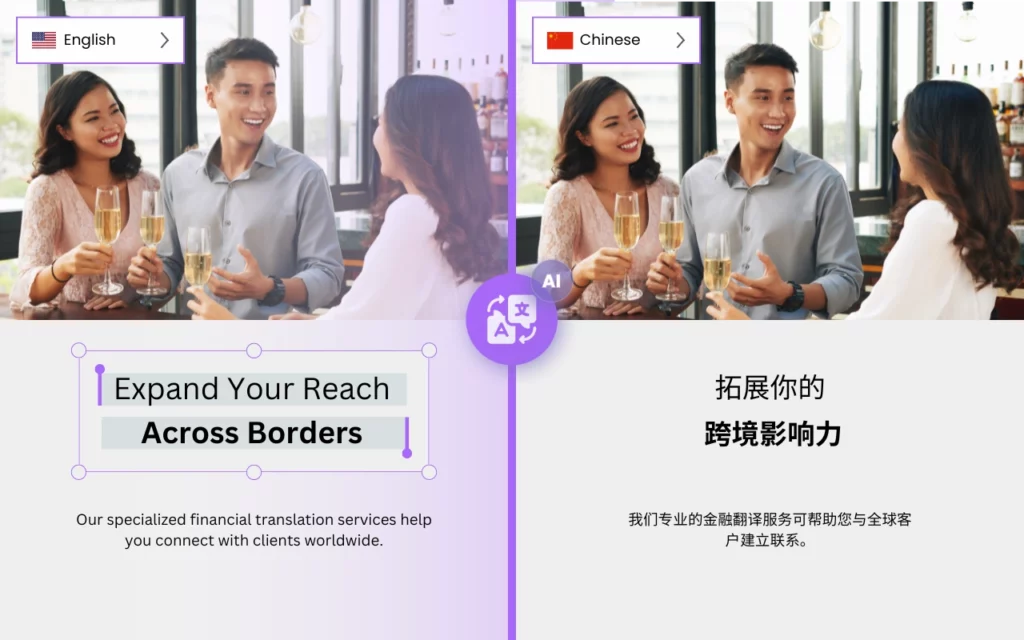

Er det muligt at oversætte engelsk til kinesisk hurtigt?
DocTranslator er den bedste mulighed for at oversætte store og komplekse dokumenter på kinesisk. Med sin avancerede teknologi og brugervenlige interface gør DocTranslator det nemt for virksomheder og enkeltpersoner at oversætte vigtige dokumenter præcist med minimal indsats.
En af de vigtigste fordele ved DocTranslator er dens evne til nemt at håndtere store og komplekse dokumenter. Uanset om du har brug for at oversætte en juridisk kontrakt, en teknisk manual eller en finansiel rapport, kan DocTranslator håndtere det hele. Den registrerer automatisk sproget i dit dokument og leverer præcise oversættelser på kinesisk, hvilket sikrer, at dine dokumenter er klare og nemme at forstå.
En anden fordel ved DocTranslator er dens hastighed og effektivitet. Med sine kraftfulde machine learning-algoritmer kan DocTranslator oversætte store og komplekse dokumenter hurtigt, uden at gå på kompromis med kvaliteten. Det betyder, at du kan få dine oversatte dokumenter tilbage på ingen tid, så du kan fokusere på andre vigtige opgaver.
Ud over dets tekniske kapaciteter tilbyder DocTranslator også en brugervenlig grænseflade, der gør det nemt for alle at bruge. Du kan blot uploade dit dokument, vælge kinesisk som målsprog og lade DocTranslator gøre resten. Desuden tilbyder det en bred vifte af understøttede filformater, så du kan oversætte dokumenter fra Word, PDF, PowerPoint, Excel og meget mere.
DocTranslator tilbyder en række sikkerhedsfunktioner for at sikre, at dine følsomme dokumenter er beskyttet. Filer sendes over en krypteret forbindelse, gratis uploads slettes ca. 24 timer efter upload, og på enhver plan kan du selv slette en kinesisk oversættelse og dens kilde fra Filer-fanen.
Prøv DocTranslator i dag og oplev forskellen selv!

Mød DocTranslator!
DocTranslator er en sofistikeret online oversættelsesservice, der giver brugerne mulighed for at uploade forskellige dokumentformater, herunder Word, PDF og PowerPoint, og få dem oversat til forskellige sprog. DocTranslator er specifikt designet til dokumenter og inkluderer ekstra funktioner, der gør den mere velegnet til dette formål sammenlignet med standard oversættelsestjenester.
Kinesisk oversættelse →
Nysgerrig på nøjagtigheden af Google Translate til kinesisk-til-engelsk oversættelser?
Mens Google Translate tilbyder bekvemmelighed, leverer det muligvis ikke altid præcise resultater, især for komplekst eller kontekstafhængigt indhold. Oplev pålideligheden og præcisionen af Doctranslator til dine kinesisk-til-engelsk oversættelsesbehov. Vores avancerede oversættelsesteknologi sikrer præcise og kontekstuelt passende oversættelser, hvilket gør dit indhold let forståeligt for engelsktalende publikummer. Med Doctranslator kan du stole på, at dine oversættelser bliver håndteret med omhu og opmærksomhed på detaljer, hvilket leverer kvalitetsresultater hver gang. Sig farvel til usikkerheden ved automatiserede oversættelser, og oplev forskellen med Doctranslator i dag!
Har du brug for at oversætte en hel hjemmeside i stedet for et dokument? Vores partner ConveyThis.com håndterer fuld webstedsoversættelse, hvilket er en anden opgave end at oversætte en fil.

Hvad er den mest nøjagtige kinesiske oversætter?
Google Translate, Microsoft Translator og Amazon Translate er alle populære maskinoversættelsesmotorer, der kan oversætte kinesisk tekst. Nøjagtigheden af oversættelsen kan dog variere afhængigt af den specifikke kontekst og tekstens kompleksitet.
Generelt er Google Translate og Microsoft Translator fundet at være blandt de mest nøjagtige kinesiske oversættere med et højt niveau af flydende sprog og grammatisk nøjagtighed. Begge bruger neurale maskinoversættelsesmodeller (NMT), som har vist sig at producere mere nøjagtige oversættelser end de ældre statistiske maskinoversættelsesmodeller (SMT).
Amazon Translate er en relativt ny tjeneste, og dens nøjagtighed kan variere afhængigt af den specifikke tekst og sprogpar. Den er dog også baseret på neurale maskinoversættelsesmodeller, og derfor kan den forventes at have lignende eller bedre ydeevne end andre maskinoversættelsestjenester.
Det er vigtigt at huske, at maskinoversættelse ikke altid er perfekt, og resultaterne er muligvis ikke 100 % nøjagtige. Derfor anbefales det altid at få en menneskelig oversætter til at gennemgå oversættelserne, især for vigtige og følsomme dokumenter.
Hvordan oversætter jeg mit dokument til kinesisk?
Der er flere måder at oversætte et dokument til kinesisk på. For en lang rapport eller manual, se hvordan man oversætter en stor PDF til kinesisk i én upload. Nedenfor er nogle muligheder:
- Brug oversættelsessoftware: Der findes flere softwareprogrammer, der kan oversætte PDF-filer, såsom Adobe Acrobat Pro DC, SDL Trados eller MemoQ. Disse programmer kan håndtere store og komplekse PDF-filer og levere nøjagtige oversættelser til kinesisk sprog.
- Online oversættelsesservice: Der findes flere online oversættelsestjenester, der kan oversætte PDF-filer, såsom Google Translate, Microsoft Translator eller Amazon Translate. Upload blot din PDF-fil til webstedet, vælg kinesisk som målsprog, og tjenesten vil levere en oversat version af PDF'en.
- Ansæt en professionel oversætter: Du kan også ansætte en professionel oversætter til at oversætte dine PDF-filer. Dette er en god mulighed, hvis du har brug for en oversættelse af høj kvalitet og nøjagtighed, og hvis dine PDF'er indeholder følsomme oplysninger.
- Brug DocTranslator: DocTranslator er en oversættelsessoftware, der nemt kan håndtere store og komplekse dokumenter. Den registrerer automatisk sproget i dit dokument og leverer nøjagtige oversættelser til kinesisk, hvilket sikrer, at dine dokumenter er klare og nemme at forstå. Med sine kraftfulde maskinlæringsalgoritmer kan DocTranslator oversætte store og komplekse PDF-filer hurtigt, uden at gå på kompromis med kvaliteten.
Uanset hvilken metode du vælger, er det en god idé at gennemgå oversættelserne for fejl eller fejloversættelser, især for vigtige og følsomme dokumenter.
Hvilken kinesisk app er bedre end Google Translate?
Der findes flere kinesiske apps, der anses for at være mere nøjagtige end Google Translate til kinesisk sprogoversættelse. Nogle af de mest populære er:
- Baidu Translate: Denne app er udviklet af den kinesiske søgegigant Baidu og bruges bredt i Kina. Den tilbyder offline oversættelse og bruger deep learning-teknologi til at levere nøjagtige oversættelser.
- Microsoft Translator: Denne app er udviklet af Microsoft og bruger neurale maskinoversættelsesmodeller (NMT) til at levere nøjagtige oversættelser. Den tilbyder også offline oversættelse og funktioner til oversættelse af realtidskonversationer.
- Pleco: Dette er en populær kinesisk-engelsk ordbog og oversættelsesapp, der tilbyder en bred vifte af funktioner, herunder offline oversættelse, håndskriftsgenkendelse og flashcards til ordforrådsopbygning.
- Youdao Translate: Dette er en populær kinesisk oversættelsesapp udviklet af den kinesiske onlineuddannelsesplatform Youdao. Den tilbyder offline oversættelse, håndskriftsgenkendelse og stemmegenkendelsesfunktion. Den betragtes også som en af de mest nøjagtige kinesiske oversættere.
- Waygo: Dette er en visuel oversættelsesapp, der bruger din smartphones kamera til at scanne kinesisk tekst og levere oversættelser øjeblikkeligt. Den er især nyttig til at læse skilte, menuer og andet trykt materiale på kinesisk.
Det er værd at bemærke, at den bedste oversættelsesapp for dig afhænger af dine specifikke behov og præferencer. Det anbefales altid at prøve forskellige apps og sammenligne deres funktioner og nøjagtighed for at finde den bedste løsning for dig.
Sådan Fungerer Det
Trin 1: Opret en gratis konto
Begynd din oversættelsesrejse ved at oprette en gratis konto på vores platform. Det tager kun et øjeblik at angive dine grundlæggende oplysninger og bekræfte din e-mailadresse. Denne konto vil fungere som dit personlige knudepunkt til at uploade, spore og administrere alle dine oversættelsesprojekter.
Trin 2: Upload en fil
Efter login er det tid til at uploade dit dokument. Vores system understøtter en bred vifte af formater, herunder MS Word, Excel, PowerPoint, TXT, InDesign og CSV. Træk og slip blot din fil eller brug "Gennemse"-muligheden for at vælge filen fra din enhed.
Trin 3: Vælg original- og målssprog
Angiv det sprog, dit originale dokument er skrevet på. Vælg derefter målsproget, som du ønsker, at dokumentet skal oversættes til. Med vores omfattende liste over understøttede sprog finder du det perfekte match til dit publikum, uanset om det er til et forretningsforslag eller en kreativ kampagne.
Trin 4: Klik på oversæt-knappen og download
Når du har indstillet dine sprogpræferencer, skal du klikke på "Upload"-knappen for at starte behandlingen. Læn dig tilbage og slap af, mens vores avancerede oversættelsessystem arbejder på din fil, bevarer det oprindelige layout og stil, samtidig med at det leverer en nøjagtig oversættelse.
Oversæt din fil nu!
Tilmeld dig i dag og opdag kraften i DocTranslator, og hvor stor en forskel det vil gøre for dig og din virksomhed.
Vores Partnere
Relaterede værktøjer & tjenester
Filformater
Oversæt PDF efter sprog
Vores Partnere




