
Traduire un document de l'anglais vers le chinois
Le traducteur en ligne le plus rapide, téléchargez simplement votre fichier et obtenez votre nouvelle traduction.
Téléchargez ou déposez le document à traduire
Taille de fichier max. 1 Go
- OCR pour les scans et photos
- 108 langues
- Mise en page originale conservée
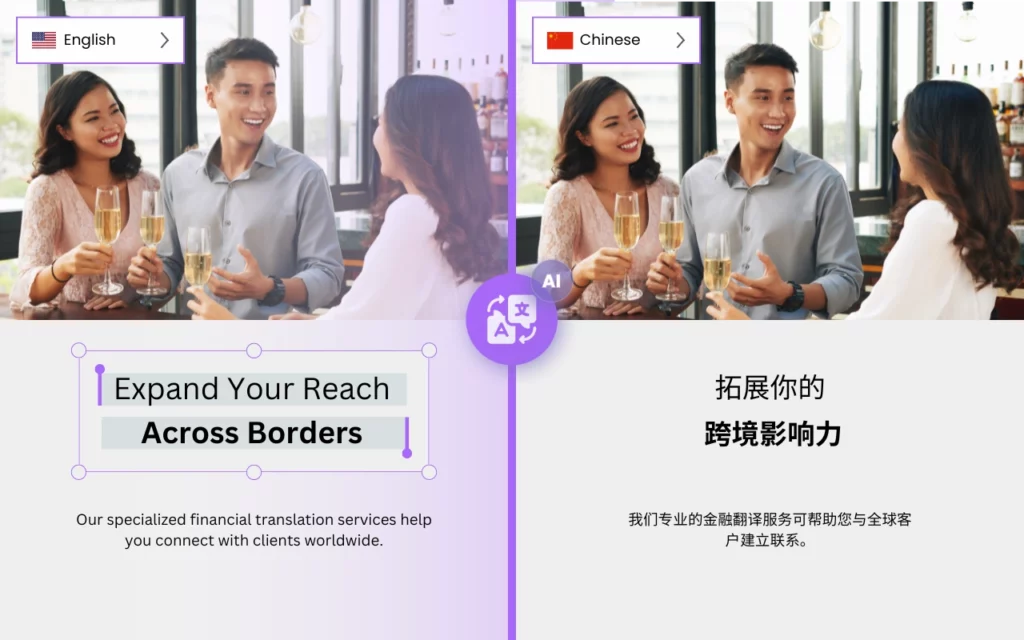

Est-il possible de traduire rapidement de l'anglais vers le chinois ?
DocTranslator est la meilleure option pour traduire des documents volumineux et complexes en langue chinoise. Avec sa technologie avancée et son interface conviviale, DocTranslator permet aux entreprises et aux particuliers de traduire facilement et avec précision des documents importants avec un minimum d'effort.
L'un des principaux avantages de DocTranslator est sa capacité à gérer facilement des documents volumineux et complexes. Que vous ayez besoin de traduire un contrat juridique, un manuel technique ou un rapport financier, DocTranslator peut tout gérer. Il détecte automatiquement la langue de votre document et fournit des traductions précises en chinois, garantissant ainsi que vos documents sont clairs et faciles à comprendre.
Un autre avantage de DocTranslator est sa rapidité et son efficacité. Grâce à ses puissants algorithmes d'apprentissage automatique, DocTranslator peut traduire rapidement des documents volumineux et complexes, sans compromettre la qualité. Cela signifie que vous pouvez récupérer vos documents traduits en un rien de temps, vous permettant de vous concentrer sur d'autres tâches importantes.
En plus de ses capacités techniques, DocTranslator offre également une interface conviviale qui le rend facile à utiliser pour tout le monde. Vous pouvez simplement télécharger votre document, sélectionner le chinois comme langue cible, et laisser DocTranslator faire le reste. De plus, il prend en charge une large gamme de formats de fichiers, vous pouvez donc traduire des documents Word, PDF, PowerPoint, Excel, et plus encore.
DocTranslator offre une gamme de fonctionnalités de sécurité pour garantir la protection de vos documents sensibles. Nous prenons votre vie privée au sérieux et, dès que le processus de traduction est terminé, notre système supprime automatiquement vos documents de nos serveurs pour garantir que vos données ne sont pas stockées ou compromises de quelque manière que ce soit.
Essayez DocTranslator dès aujourd'hui et constatez la différence par vous-même !

Découvrez DocTranslator !
est un service de traduction en ligne sophistiqué qui permet aux utilisateurs de télécharger divers formats de documents, y compris Word, PDF et PowerPoint, et de les faire traduire dans différentes langues. Tirant parti de la puissance du moteur Google Translate, DocTranslator est spécifiquement conçu pour les documents et inclut des fonctionnalités supplémentaires qui le rendent plus adapté à cet usage par rapport aux services de traduction standard.
Traduction en chinois →
Vous vous interrogez sur la précision de Google Translate pour les traductions du chinois vers l'anglais ?
Bien que Google Translate offre la commodité, il ne fournit pas toujours des résultats précis, en particulier pour le contenu complexe ou dépendant du contexte. Découvrez la fiabilité et la précision de Doctranslator pour vos besoins de traduction du chinois vers l'anglais. Notre technologie de traduction avancée garantit des traductions précises et contextuellement appropriées, rendant votre contenu facilement compréhensible pour le public anglophone. Avec Doctranslator, vous pouvez être sûr que vos traductions seront traitées avec soin et attention aux détails, offrant des résultats de qualité à chaque fois. Dites adieu à l'incertitude des traductions automatisées et découvrez la différence avec Doctranslator dès aujourd'hui !
Besoin de traduire un site Web entier plutôt qu'un document ? Notre partenaire ConveyThis.com s'occupe de la traduction de sites Web complets, ce qui est différent de la traduction d'un fichier.

Quel est le traducteur chinois le plus précis ?
Google Translate, Microsoft Translator et Amazon Translate sont tous des moteurs de traduction automatique populaires qui peuvent traduire du texte chinois. Cependant, la précision de la traduction peut varier en fonction du contexte spécifique et de la complexité du texte.
En général, Google Translate et Microsoft Translator se sont révélés être parmi les traducteurs chinois les plus précis, avec un haut niveau de fluidité et de précision grammaticale. Les deux utilisent des modèles de traduction automatique neuronale (NMT), qui se sont avérés produire des traductions plus précises que les anciens modèles de traduction automatique statistique (SMT).
Amazon Translate est un service relativement nouveau, et sa précision peut varier en fonction du texte spécifique et de la paire de langues. Cependant, il est également basé sur des modèles de traduction automatique neuronale, et il peut donc être attendu qu'il ait des performances similaires ou meilleures que d'autres services de traduction automatique.
Il est important de garder à l'esprit que la traduction automatique n'est pas toujours parfaite et que les résultats peuvent ne pas être exacts à 100 %. Par conséquent, il est toujours recommandé de faire réviser les traductions par un traducteur humain, en particulier pour les documents importants et sensibles.

Comment traduire mon document en chinois ?
Il existe plusieurs façons de traduire de gros fichiers PDF en chinois. Voici quelques options :
- Utiliser un logiciel de traduction : Il existe plusieurs logiciels disponibles qui peuvent traduire des fichiers PDF, tels qu'Adobe Acrobat Pro DC, SDL Trados ou MemoQ. Ces programmes peuvent gérer des fichiers PDF volumineux et complexes et fournir des traductions précises en langue chinoise.
- Service de traduction en ligne : Il existe plusieurs services de traduction en ligne qui peuvent traduire des fichiers PDF, tels que Google Translate, Microsoft Translator ou Amazon Translate. Téléchargez simplement votre fichier PDF sur le site Web, sélectionnez le chinois comme langue cible, et le service fournira une version traduite du PDF.
- Engager un traducteur professionnel : Vous pouvez également engager un traducteur professionnel pour traduire vos fichiers PDF. C'est une bonne option si vous avez besoin d'une traduction précise et de haute qualité et si vos PDF contiennent des informations sensibles.
- Utiliser DocTranslator : DocTranslator est un logiciel de traduction qui peut gérer facilement des documents volumineux et complexes. Il détecte automatiquement la langue de votre document et fournit des traductions précises en chinois, garantissant ainsi que vos documents sont clairs et faciles à comprendre. Grâce à ses puissants algorithmes d'apprentissage automatique, DocTranslator peut traduire rapidement des fichiers PDF volumineux et complexes, sans compromettre la qualité.
Quelle que soit la méthode choisie, il est conseillé de vérifier les traductions pour détecter d'éventuelles erreurs ou erreurs de traduction, en particulier pour les documents importants et sensibles.
Quelle application chinoise est meilleure que Google Translate ?
Il existe plusieurs applications chinoises considérées comme plus précises que Google Translate pour la traduction en chinois. Voici quelques-unes des plus populaires :
- Baidu Translate : Cette application est développée par le géant chinois de la recherche Baidu et est largement utilisée en Chine. Elle offre la traduction hors ligne et utilise la technologie d'apprentissage profond pour fournir des traductions précises.
- Microsoft Translator : Cette application est développée par Microsoft et utilise la traduction automatique neuronale (NMT) pour fournir des traductions précises. Elle offre également la traduction hors ligne et des fonctionnalités de traduction de conversation en temps réel.
- Pleco : Il s'agit d'une application populaire de dictionnaire et de traduction chinois-anglais qui offre un large éventail de fonctionnalités, notamment la traduction hors ligne, la reconnaissance de l'écriture manuscrite et des cartes mémoire pour l'acquisition de vocabulaire.
- Youdao Translate : Il s'agit d'une application de traduction chinoise populaire développée par la plateforme d'éducation en ligne chinoise Youdao. Elle offre la traduction hors ligne, la reconnaissance de l'écriture manuscrite et la reconnaissance vocale. Elle est également considérée comme l'un des traducteurs chinois les plus précis.
- Waygo : Il s'agit d'une application de traduction visuelle qui utilise l'appareil photo de votre smartphone pour scanner le texte chinois et fournir des traductions instantanées. Elle est particulièrement utile pour lire des panneaux, des menus et d'autres documents imprimés en chinois.
Il convient de noter que la meilleure application de traduction pour vous dépendra de vos besoins et préférences spécifiques. Il est toujours recommandé d'essayer différentes applications et de comparer leurs fonctionnalités et leur précision afin de trouver la meilleure option pour vous.
Statistiques spécifiques
Engagement utilisateur
DocTranslation affiche des métriques d'engagement utilisateur impressionnantes, avec plus de 80 % des utilisateurs effectuant leur première traduction qui reviennent pour des traductions futures. De plus, notre plateforme maintient un taux de satisfaction élevé, 95 % des clients évaluant leur expérience comme excellente ou bonne. La durée moyenne des sessions continue de croître, reflétant la facilité d'utilisation et la confiance que nos utilisateurs accordent à la qualité et à la fiabilité de la plateforme.
Conversations quotidiennes
DocTranslation facilite une communication interculturelle significative grâce à des milliers de conversations quotidiennes. La plateforme traite plus de 20 000 demandes de traduction uniques chaque jour, couvrant des documents dans plusieurs formats. Cette activité quotidienne robuste démontre la capacité de DocTranslation à gérer des volumes élevés efficacement, aidant les particuliers et les entreprises à surmonter les barrières linguistiques en toute fluidité.
Taille des données d'entraînement
Le moteur de traduction IA de DocTranslation est alimenté par de vastes données d'entraînement, avec des milliards de mots provenant de jeux de données multilingues diversifiés. Ces données d'entraînement étendues permettent à notre système de comprendre les structures linguistiques nuancées et les expressions idiomatiques, ce qui se traduit par des traductions à la fois contextuellement précises et culturellement sensibles. Une telle formation complète garantit que les utilisateurs reçoivent des traductions de haute qualité constante dans toutes les langues prises en charge.
COMMENT ÇA MARCHE
Étape 1 : Créez un compte gratuit
Commencez votre parcours de traduction en créant un compte gratuit sur notre plateforme. Il suffit de quelques instants pour fournir vos informations de base et confirmer votre adresse e-mail. Ce compte servira de centre personnalisé pour télécharger, suivre et gérer tous vos projets de traduction.
Étape 2 : Téléchargez un fichier
Après vous être connecté, il est temps de télécharger votre document. Notre système prend en charge une grande variété de formats, y compris MS Word, Excel, PowerPoint, TXT, InDesign et CSV. Faites simplement glisser et déposez votre fichier ou utilisez l'option « Parcourir » pour sélectionner le fichier sur votre appareil.
Étape 3 : Sélectionnez les langues d'origine et cible
Spécifiez la langue dans laquelle votre document original est rédigé. Ensuite, choisissez la langue cible vers laquelle vous souhaitez traduire le document. Avec notre vaste liste de langues prises en charge, vous trouverez la correspondance parfaite pour votre public, qu'il s'agisse d'une proposition commerciale ou d'une campagne créative.
Étape 4 : Cliquez sur le bouton Traduire et téléchargez
Une fois que vous avez défini vos préférences linguistiques, cliquez sur le bouton "Télécharger" pour commencer le traitement. Asseyez-vous et détendez-vous pendant que notre système de traduction avancé travaille sur votre fichier, en conservant la mise en page et le style d'origine tout en fournissant une traduction précise.
Traduisez votre fichier maintenant !
Inscrivez-vous aujourd'hui et découvrez la puissance de DocTranslator et la différence qu'elle fera pour vous et votre entreprise.
Nos partenaires
Outils et services connexes
Formats de fichiers
Traduire PDF par langue
Nos partenaires




