
JPG naar PDF converteren
Converteer uw afbeeldingen naar tekstbestanden zoals pdf of txt in slechts een paar seconden met onze converter service!
Upload of laat document vallen om te vertalen
Max. bestandsgrootte 1 GB op Pro en Business
De knop opent een gratis aanmelding. De vertaling zelf vindt plaats in uw dashboard, waar u het bestand opnieuw kiest. Gebruikt u een AI-assistent? Verbind deze via MCP.
- OCR voor scans en foto's
- 108 talen
- Originele lay-out behouden

Communicatie Revolutioneren
Wat is JPG?
JPG, ook bekend als JPEG (Joint Photographic Experts Group), is een van de meest gebruikte afbeeldingsbestandsformaten ter wereld, gewaardeerd om zijn efficiënte balans tussen beeldkwaliteit en bestandsgrootte. Oorspronkelijk ontwikkeld in de vroege jaren negentig, werd JPG al snel de standaard voor digitale afbeeldingen vanwege het lossy compressie-algoritme, dat de bestandsgrootte aanzienlijk vermindert met behoud van een acceptabel niveau van visuele getrouwheid. Deze compressie maakt het mogelijk om grote afbeeldingsbestanden op te slaan, zoals foto's, waardoor ze gemakkelijk online te delen en te uploaden zijn, waar bestandsgroottelimieten en laadtijden vaak kritische overwegingen zijn. De mogelijkheid om grote afbeeldingsbestanden te verkleinen zonder hun uiterlijk drastisch te beïnvloeden, maakt JPG bijzonder nuttig voor webdesign, sociale media, digitale fotografie en het delen van alledaagse afbeeldingen.
De dominantie van JPG in de digitale wereld strekt zich ook uit tot professionele gebieden zoals fotografie, grafisch ontwerp en marketing. De kleinere bestandsgrootte maakt het ideaal voor het uploaden van afbeeldingen naar websites, waardoor de belasting van de bandbreedte wordt verminderd, terwijl visueel aantrekkelijke inhoud nog steeds wordt geleverd. Bovendien ondersteunt JPG een volledig scala aan kleurendieptes, waardoor rijke, gedetailleerde afbeeldingen mogelijk zijn, met name in scenario's met complexe gradiënten en kleurtransities, zoals portretten en landschapsfotografie. JPG is echter minder geschikt voor afbeeldingen die scherpe randen of hoge precisie vereisen, zoals logo's of tekst-zware ontwerpen, waar formaten zoals PNG of SVG de voorkeur hebben. Over het algemeen blijft JPG een fundamenteel formaat voor digitale beelden, dat een praktische oplossing biedt voor zowel casual gebruikers als professionals die efficiënt beeldopslag en -deling willen beheren zonder al te veel concessies te doen aan de kwaliteit.

Maak kennis met DocTranslator!
DocTranslator is een geavanceerde online vertaaldienst waarmee gebruikers verschillende documentformaten, waaronder Word, PDF en PowerPoint, kunnen uploaden en laten vertalen naar verschillende talen. DocTranslator maakt gebruik van de kracht van de Google Translate-engine, is speciaal ontworpen voor documenten en bevat extra functies die het geschikter maken voor dit doel in vergelijking met standaard vertaaldiensten.

Wat is een PDF?
PDF (Portable Document Format) is een van de meest gebruikte bestandsformaten voor het delen en presenteren van documenten op een consistente, platformonafhankelijke manier. Ontwikkeld door Adobe in de vroege jaren negentig, behouden PDF's de opmaak van een document, zodat het er hetzelfde uitziet, ongeacht het apparaat, de software of het besturingssysteem dat wordt gebruikt om het te bekijken. Dit maakt PDF ideaal voor het delen van officiële documenten, contracten, e-books, rapporten en presentaties, waarbij het behouden van de originele lay-out, lettertypen en afbeeldingen cruciaal is. In tegenstelling tot andere bestandsformaten kunnen PDF's tekst, afbeeldingen, links, formulieren en zelfs multimedia-elementen zoals video's en interactieve functies bevatten. Een van de belangrijkste voordelen van PDF's is hun vermogen om bewerkingen te vergrendelen of te beperken, waardoor ze een voorkeurskeuze zijn voor juridische documenten en veilig delen.
Bovendien zijn PDF's sterk gecomprimeerd, waardoor de bestandsgrootte wordt verkleind met behoud van kwaliteit, wat gunstig is voor het delen van grote documenten via e-mail of online platforms. Het formaat is ook breed toegankelijk, de meeste moderne apparaten worden geleverd met ingebouwde PDF-lezers en veel webbrowser ondersteunen het lezen van PDF's zonder extra software. PDF's kunnen worden beveiligd met een wachtwoord of worden versleuteld voor extra beveiliging, waardoor het een vertrouwd formaat is voor gevoelige informatie. Of het nu voor persoonlijk, academisch of zakelijk gebruik is, het PDF-formaat biedt een veelzijdige en betrouwbare manier om documenten te distribueren en op te slaan op een manier die visuele getrouwheid en gegevensintegriteit garandeert.
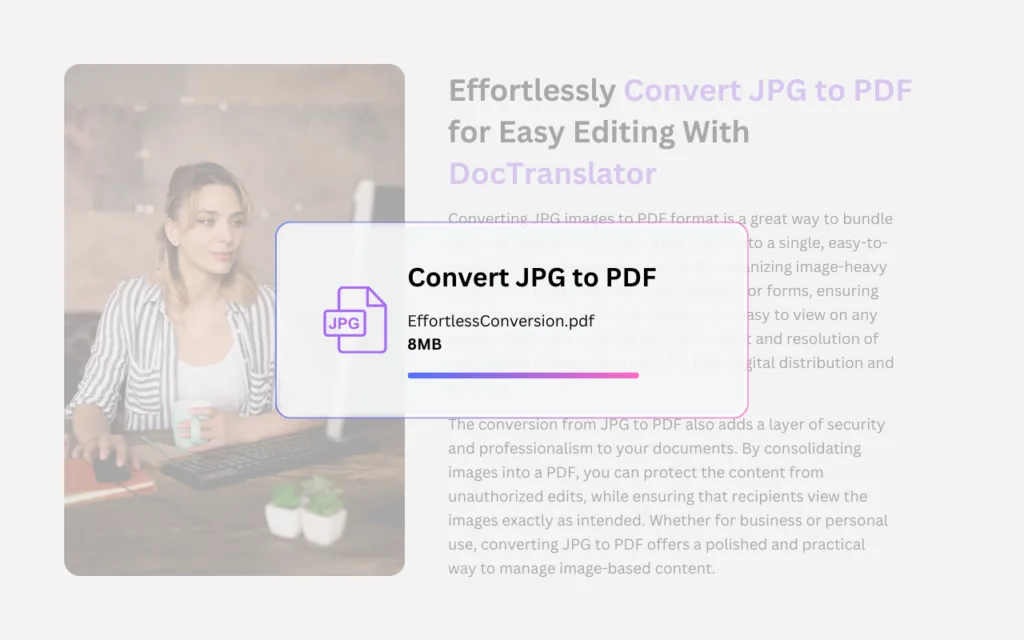
Zoekt u een manier om een JPG-bestand naar een PDF-bestand te converteren?
De "JPG naar PDF-converter" van DocTranslator biedt een snelle en efficiënte manier om afbeeldingen te converteren naar een gepolijst, professioneel PDF-formaat. Deze tool is bijzonder nuttig voor particulieren of bedrijven die meerdere JPG-afbeeldingen, zoals foto's, gescande documenten of ontwerpen, willen combineren tot één georganiseerd PDF-document. Het conversieproces is eenvoudig en intuïtief, waarbij de originele beeldkwaliteit behouden blijft terwijl de JPG's worden gerangschikt in een nette, gemakkelijk deelbare PDF. Dit formaat is ideaal voor situaties waarin u afbeeldingen op een meer formele of veilige manier wilt presenteren, zoals voor contracten, presentaties, portfolio's of documentatie. Of het nu gaat om professionele rapporten of persoonlijke archieven, de "JPG naar PDF-converter" van DocTranslator helpt gebruikers bij het stroomlijnen van hun beeldbeheer, waarbij verspreide bestanden met gemak worden omgezet in samenhangende, goed gestructureerde PDF's.
JPG naar PDF en wat we kunnen doen
DocTranslator.com is een automatische documentvertaaltool die elk PDF-, Word- of Excel-bestand converteert naar 108 talen, en het kan een grote PDF van maximaal 1 GB vertalen in één upload zodra uw gescande afbeeldingen zijn gecombineerd.
Gebruikers van DocTranslator.com kunnen snel elke bankafschrift vertalen, of het nu MS Word, PDF, Excel of PowerPoint is, van Engels naar Spaans en vice versa. In totaal ondersteunt DocTranslator 108 talen, waaronder: Engels, Spaans, Frans, Duits, Portugees, Italiaans, Japans, Kantonees, Mandarijn en Koreaans.
Moet u een hele website vertalen in plaats van een document? Onze partner ConveyThis.com verzorgt de volledige websitevertaling, wat een andere taak is dan het vertalen van een bestand.
HOE HET WERKT
Stap 1: Maak een gratis account aan
Begin uw vertaalreis door een gratis account aan te maken op ons platform. Het kost slechts een paar minuten om uw basisgegevens op te geven en uw e-mailadres te bevestigen. Dit account dient als uw persoonlijke hub voor het uploaden, volgen en beheren van al uw vertaalprojecten.
Stap 2: Upload een bestand
Na het inloggen is het tijd om uw document te uploaden. Ons systeem ondersteunt een breed scala aan formaten, waaronder MS Word, Excel, PowerPoint, TXT, InDesign en CSV. Sleep en plaats uw bestand of gebruik de optie "Bladeren" om het bestand vanaf uw apparaat te selecteren.
Stap 3: Selecteer de originele en doeltalen
Geef de taal op waarin uw originele document is geschreven. Kies vervolgens de doeltaal waarnaar u het document wilt laten vertalen. Met onze uitgebreide lijst met ondersteunde talen vindt u de perfecte match voor uw publiek, of het nu gaat om een zakelijk voorstel of een creatieve campagne.
Stap 4: Klik op de vertaalknop en download
Nadat u uw taalvoorkeuren hebt ingesteld, klikt u op de knop "Uploaden" om de verwerking te starten. Leun achterover en ontspan terwijl ons geavanceerde vertaalsysteem aan uw bestand werkt, waarbij de originele lay-out en stijl behouden blijven en tegelijkertijd een nauwkeurige vertaling wordt geleverd.
Veelgestelde vragen
Hoe converteer ik een JPG naar PDF?
Upload uw JPG-afbeelding met de bovenstaande converter en klik op "Converteren naar PDF". De JPG naar PDF-converter van DocTranslator verandert uw afbeelding in enkele seconden in een gepolijste PDF, klaar om te downloaden.
Kan ik meerdere JPG-afbeeldingen combineren tot één PDF?
Ja. De tool is vooral handig voor het combineren van meerdere JPG-afbeeldingen, zoals foto's, gescande documenten of ontwerpen, tot één georganiseerd PDF-document.
Vermindert conversie naar PDF mijn beeldkwaliteit?
Nee. Het conversieproces behoudt de oorspronkelijke beeldkwaliteit terwijl uw JPG's worden gerangschikt in een nette, gemakkelijk deelbare PDF.
Wat is het verschil tussen JPG en PDF?
JPG (JPEG) is een afbeeldingsindeling die verliesgevende compressie gebruikt om de balans te bewaren tussen beeldkwaliteit en bestandsgrootte. PDF (Portable Document Format) behoudt de opmaak van een document, zodat het er op elk apparaat, software of besturingssysteem hetzelfde uitziet, wat het ideaal maakt voor het delen en presenteren van uw afbeeldingen.
Waarom JPG-afbeeldingen naar een PDF converteren?
Een PDF is ideaal wanneer u afbeeldingen op een meer formele of veilige manier wilt presenteren, zoals voor contracten, presentaties, portfolio's of documentatie. PDF's kunnen ook met een wachtwoord worden beveiligd of worden versleuteld voor extra veiligheid en zijn sterk gecomprimeerd voor eenvoudig delen via e-mail of online platforms.
Welke apparaten kunnen de PDF die ik maak openen?
Bijna elk apparaat. De meeste moderne apparaten worden geleverd met ingebouwde PDF-lezers, en veel webbrowser ondersteunen het lezen van PDF's zonder extra software, dus uw geconverteerde bestand is gemakkelijk te openen en te delen.
Vertaal nu uw bestand!
Meld u vandaag nog aan en ontdek de kracht van DocTranslator en welk verschil het zal maken voor u en uw bedrijf.
Onze Partners




Meer PDF-tools en vertaaldiensten
PDF Tools