
مبدل XLSX به PDF
هر سندی را فقط با چند کلیک، کاملاً رایگان، با بهترین مبدل فایل آنلاین ما تبدیل کنید. خودتان امتحان کنید!
بارگذاری یا رها کردن سند برای ترجمه
حداکثر حجم فایل 1 گیگابایت در پلنهای Pro و Business
دکمه ثبتنام رایگان را باز میکند. ترجمه در داشبورد شما انجام میشود، جایی که دوباره فایل را انتخاب میکنید. از دستیار هوش مصنوعی استفاده میکنید؟ آن را از طریق MCP وصل کنید.
- تشخیص نوری کاراکتر برای اسکنها و عکسها
- ۱۰۸ زبان
- طرحبندی اصلی حفظ میشود

انقلابی در ارتباطات
XLSX چیست؟
XLSX یک فرمت فایل پرکاربرد است که توسط Microsoft برای نرمافزار صفحه گسترده Excel خود ایجاد شده است و در سال 2007 به عنوان بخشی از استاندارد Office Open XML معرفی شد. این فرمت مدرن به کاربران امکان میدهد دادهها را به طور مؤثر در سطرها و ستونها سازماندهی و دستکاری کنند و آن را برای طیف وسیعی از برنامهها، از بودجهبندی ساده گرفته تا تجزیه و تحلیل پیچیده دادهها، ایدهآل میسازد. فایلهای XLSX میتوانند انواع عناصر از جمله فرمولها، توابع، نمودارها و گرافها را در خود جای دهند و کاربران را قادر میسازند تا محاسبات را انجام داده و دادهها را به طور مؤثر تجسم کنند. یکی از مزایای قابل توجه فرمت XLSX نسبت به فرمت قبلی خود، XLS، قابلیتهای بهبود یافته مدیریت داده و فشردهسازی آن است که منجر به حجم فایل کوچکتر و عملکرد سریعتر میشود.
علاوه بر این، XLSX از چندین برگه در یک سند واحد پشتیبانی میکند و به کاربران امکان میدهد مجموعه دادههای مرتبط را به راحتی دستهبندی و تجزیه و تحلیل کنند. این فرمت همچنین همکاری را بهبود میبخشد، زیرا میتوان آن را به راحتی در پلتفرمها و دستگاههای مختلف، از جمله برنامههای مبتنی بر ابر مانند Microsoft 365 و Google Sheets، به اشتراک گذاشت و ویرایش کرد. علاوه بر این، فایلهای XLSX میتوانند شامل ویژگیهای پیشرفتهای مانند جداول محوری، قالببندی شرطی و اعتبارسنجی دادهها باشند و کاربران را قادر میسازند تا بینشهایی را استخراج کرده و تصمیمات آگاهانهای بر اساس دادههای خود بگیرند.
XLSX با تطبیقپذیری، مجموعه ویژگیهای غنی و رابط کاربری آسان، به استاندارد برنامههای صفحه گسترده در کسب و کار، آموزش و تحقیق تبدیل شده است. چه در حال ایجاد گزارشهای مالی باشید، چه موجودی را ردیابی کنید، یا تجزیه و تحلیل آماری انجام دهید، XLSX ابزارهای لازم را برای مدیریت و تجسم دادهها با دقت و سهولت فراهم میکند. سازگاری گسترده آن تضمین میکند که کاربران میتوانند به طور مؤثر همکاری کنند، اطلاعات را به طور یکپارچه به اشتراک بگذارند و از پتانسیل کامل دادههای خود بهرهمند شوند.

با DocTranslator آشنا شوید!
DocTranslator یک سرویس ترجمه آنلاین پیشرفته است که به کاربران امکان میدهد فرمتهای مختلف سند، از جمله Word، PDF و PowerPoint را آپلود کرده و آنها را به زبانهای مختلف ترجمه کنند. DocTranslator با بهرهگیری از قدرت موتور Google Translate، بهطور خاص برای اسناد طراحی شده است و شامل ویژگیهای اضافی است که آن را نسبت به سرویسهای ترجمه استاندارد، برای این منظور مناسبتر میکند.

PDF چیست
PDF یا فرمت سند قابل حمل، یک فرمت فایل چند منظوره است که توسط Adobe در اوایل دهه 1990 برای امکان اشتراکگذاری و حفظ اسناد در پلتفرمها و دستگاههای مختلف توسعه یافته است. PDFها که برای حفظ یکپارچگی قالببندی سند اصلی طراحی شدهاند، میتوانند متن، تصاویر، گرافیکها و حتی عناصر تعاملی را در خود جای دهند و در عین حال اطمینان حاصل کنند که طرحبندی صرف نظر از نرمافزار یا سختافزار مورد استفاده برای مشاهده آنها، سازگار به نظر میرسد. این امر PDFها را به گزینهای ایدهآل برای طیف وسیعی از برنامهها، از جمله گزارشهای تجاری، کتابهای الکترونیکی، فرمها و اسناد رسمی تبدیل میکند. یکی از ویژگیهای برجسته فایلهای PDF سازگاری جهانی آنهاست؛ آنها را میتوان تقریباً در هر سیستم عامل یا دستگاهی بدون نیاز به نرمافزار تخصصی باز کرد. علاوه بر این، PDFها گزینههای امنیتی مختلفی مانند حفاظت با رمز عبور و واترمارک را ارائه میدهند و لایه اضافی از حفاظت را برای اطلاعات حساس فراهم میکنند. PDFها با حجم فایل فشرده و قابلیتهای رندر با کیفیت بالا، به استاندارد تبادل اسناد دیجیتال تبدیل شدهاند و به کاربران امکان میدهند اطلاعات را به طور یکپارچه و حرفهای به اشتراک بگذارند، ارائه دهند و بایگانی کنند.

ترجمهها چقدر اهمیت دارند؟
ترجمهها در دنیای امروزی که به هم پیوسته است، جایی که ارتباطات در زبانها و فرهنگهای متنوع گسترش مییابد، اهمیت فزایندهای پیدا کردهاند. با ادامه جهانی شدن اقتصادها و جوامع، تقاضا برای ترجمههای دقیق در بخشهای مختلف از جمله تجارت، آموزش، بهداشت و فناوری افزایش یافته است. ترجمههای مؤثر نه تنها ارتباطات روان بین افراد و سازمانها را تسهیل میکنند، بلکه درک را افزایش داده و همکاری را در محیطهای چندفرهنگی تقویت میکنند. به عنوان مثال، در کسب و کار، ترجمه مواد بازاریابی، قراردادها و اطلاعات محصول برای دستیابی به مخاطبان جهانی و اطمینان از انطباق با مقررات محلی حیاتی است. در آموزش و پژوهش، ترجمهها امکان اشتراکگذاری دانش را فراهم کرده و دسترسی به منابعی را که در غیر این صورت با موانع زبانی محدود میشدند، ترویج میکنند. علاوه بر این، در عصر دیجیتال ما، محتوای آنلاین، از وبسایتها گرفته تا رسانههای اجتماعی، برای جذب مخاطبان گستردهتر نیاز به ترجمه دارد. در نهایت، اهمیت ترجمهها در توانایی آنها برای پر کردن شکافها، ترویج فراگیری و هدایت نوآوری در دنیایی متنوع و به سرعت در حال تحول نهفته است.
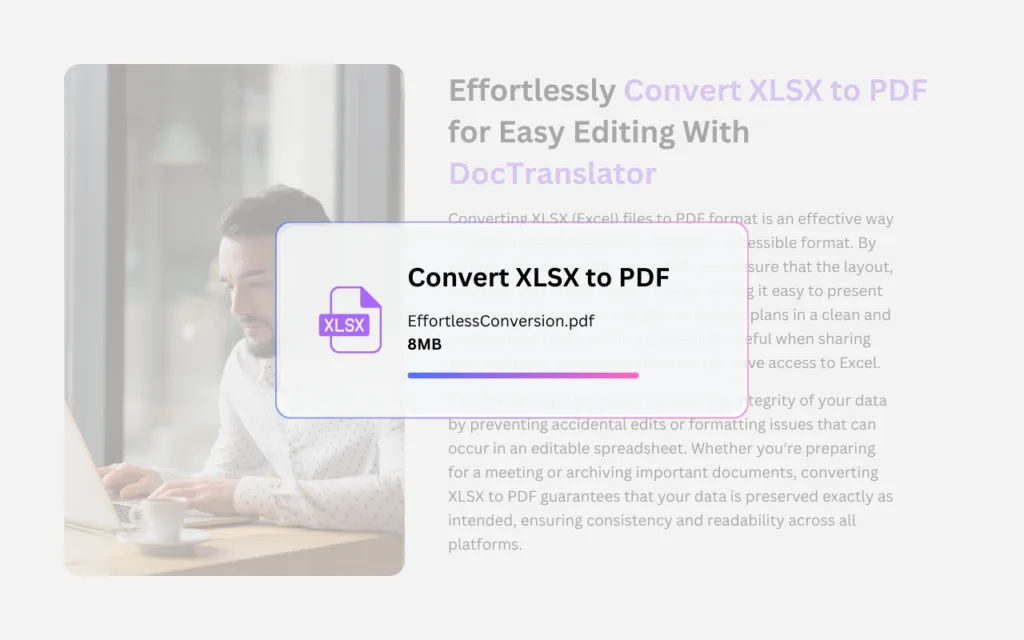
XLSX به PDF و کاری که میتوانیم انجام دهیم
استفاده از سرویس "مبدل XLSX به PDF" ما در DocTranslator راهی ساده و کارآمد برای تبدیل صفحات گسترده Excel شما به اسناد PDF با کیفیت حرفهای است. این سرویس به ویژه برای کاربرانی که نیاز به اشتراکگذاری دادهها و گزارشها دارند و در عین حال اطمینان حاصل میکنند که قالببندی دست نخورده باقی میماند و محتوا در پلتفرمهای مختلف به راحتی قابل دسترسی است، ارزشمند است. برای شروع، به سادگی از وبسایت ما دیدن کرده و ابزار تبدیل XLSX به PDF را پیدا کنید. شما میتوانید به راحتی فایل Excel خود را با کشیدن و رها کردن آن در ناحیه مشخص شده یا انتخاب آن از دستگاه خود، آپلود کنید. پس از آپلود فایل شما، روی دکمه "تبدیل" کلیک کنید تا فرآیند تبدیل آغاز شود. در عرض چند لحظه، سرویس ما سند شما را پردازش میکند و تمام دادهها، نمودارها و طرحبندیها را در صفحه گسترده اصلی حفظ میکند. پس از اتمام تبدیل، یک فایل PDF قابل دانلود دریافت خواهید کرد که میتوانید با اطمینان آن را به اشتراک بگذارید، چاپ کنید یا بایگانی کنید. این رویکرد کاربرپسند نه تنها در وقت شما صرفهجویی میکند، بلکه بهرهوری شما را نیز افزایش میدهد و ایجاد اسناد صیقلی و قابل اشتراکگذاری از دادههای Excel شما را آسان میسازد. امروز راحتی مبدل XLSX به PDF ما را تجربه کنید و گردش کار اسناد خود را ساده کنید!
نحوه کار
مرحله ۱: ایجاد حساب رایگان
سفر ترجمه خود را با ایجاد یک حساب کاربری رایگان در پلتفرم ما آغاز کنید. ایجاد اطلاعات اولیه و تأیید آدرس ایمیل شما تنها چند لحظه طول می کشد. این حساب به عنوان مرکز شخصی شما برای آپلود، پیگیری و مدیریت تمام پروژه های ترجمه شما عمل خواهد کرد.
مرحله ۲: بارگذاری فایل
پس از ورود به سیستم، زمان آپلود سند شما فرا رسیده است. سیستم ما از طیف گستردهای از فرمتها از جمله MS Word، Excel، PowerPoint، TXT، InDesign و CSV پشتیبانی میکند. به سادگی فایل خود را بکشید و رها کنید یا از گزینه «مرور» برای انتخاب فایل از دستگاه خود استفاده کنید.
مرحله ۳: انتخاب زبان مبدأ و مقصد
زبان اصلی سند خود را مشخص کنید. سپس، زبان مقصد را که می خواهید سند به آن ترجمه شود، انتخاب کنید. با لیست گسترده زبان های پشتیبانی شده ما، تطابق کاملی برای مخاطبان خود پیدا خواهید کرد، چه برای یک پیشنهاد تجاری و چه برای یک کمپین خلاقانه.
مرحله ۴: کلیک بر روی دکمه ترجمه و دانلود
پس از تعیین تنظیمات زبان مورد نظر خود، روی دکمه "آپلود" کلیک کنید تا پردازش آغاز شود. بنشینید و استراحت کنید در حالی که سیستم ترجمه پیشرفته ما روی فایل شما کار می کند و طرح بندی و سبک اصلی را حفظ می کند و در عین حال ترجمه دقیقی را ارائه می دهد.
سوالات متداول
چگونه یک فایل XLSX را به PDF تبدیل کنم؟
مبدل XLSX به PDF را باز کنید، فایل Excel خود را در ناحیه آپلود بکشید و رها کنید یا آن را از دستگاه خود انتخاب کنید، سپس روی دکمه "تبدیل" کلیک کنید. در عرض چند لحظه یک فایل PDF قابل دانلود دریافت خواهید کرد که میتوانید آن را به اشتراک بگذارید، چاپ کنید یا بایگانی کنید.
آیا مبدل XLSX به PDF رایگان است؟
بله. شما میتوانید صفحات گسترده Excel XLSX خود را به صورت رایگان با مبدل ما به صورت آنلاین به PDF تبدیل کنید، بدون نیاز به نصب نرمافزار.
آیا تبدیل به PDF قالب بندی صفحه گسترده من را حفظ می کند؟
بله. تبدیل، داده ها، نمودارها و چیدمان های صفحه گسترده اصلی شما را حفظ می کند، بنابراین گزارش شما قالب بندی خود را حفظ کرده و در پلتفرم های مختلف به راحتی خوانده می شود.
آیا برای تبدیل XLSX به PDF نیاز به نصب نرم افزار دارم؟
خیر. مبدل به صورت آنلاین در مرورگر شما اجرا می شود، بنابراین هیچ نرم افزاری برای دانلود یا نصب وجود ندارد. به سادگی از وب سایت بازدید کنید، فایل خود را آپلود کنید و تبدیل کنید.
فرمت فایل XLSX چیست؟
XLSX فرمت فایل صفحه گستردهای است که توسط Microsoft برای Excel ایجاد شده و در سال ۲۰۰۷ به عنوان بخشی از استاندارد Office Open XML معرفی شد. این فرمت دادهها را در سطرها و ستونها ذخیره میکند و میتواند شامل فرمولها، توابع، نمودارها و چندین صفحه در یک سند واحد باشد.
چرا یک صفحه گسترده را به PDF تبدیل کنیم؟
PDF قالببندی سند را بدون توجه به نرمافزار یا دستگاه مورد استفاده برای مشاهده آن، سازگار نگه میدارد و PDFها تقریباً در هر سیستم عاملی بدون نرمافزار تخصصی باز میشوند. تبدیل دادههای Excel شما به PDF، اشتراکگذاری، ارائه و بایگانی گزارشها را به صورت حرفهای آسان میکند.
فایل خود را اکنون ترجمه کنید!
امروز ثبت نام کنید و قدرت DocTranslator را کشف کنید و ببینید چه تفاوتی برای شما و کسب و کارتان ایجاد خواهد کرد.
شرکای ما




ابزارها و خدمات ترجمه بیشتر PDF
ابزارهای PDF