InDesign Translation Services
Translate InDesign files here with our convenient translation tools!
上傳或拖放文件進行翻譯
最大。文件大小 1 GB

徹底改變溝通方式
How do I translate InDesign file?
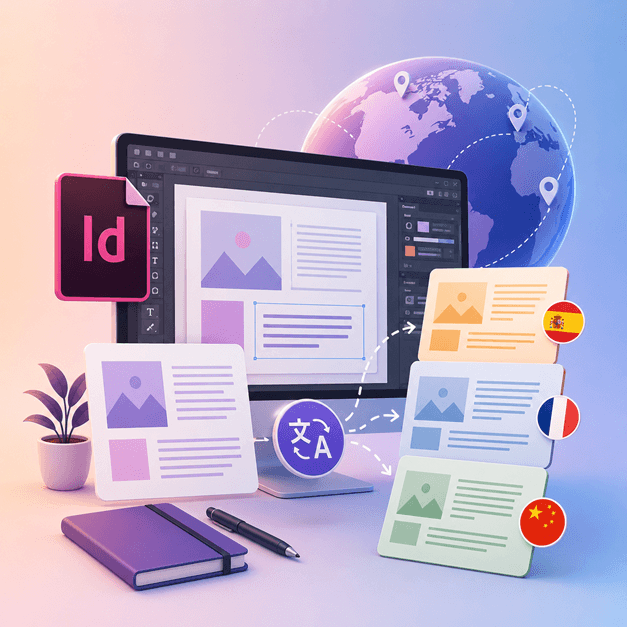
If you are a designer or an artist who works with InDesign and would love to translate your designs into other languages, it's time for you to get DocTranslator.
The best way to translate InDesign files into other languages is by using DocTranslator. This tool helps you with the translation of any .IDML document/template into any language. You can use this tool to convert any template from InDesign into a different language.
Translate InDesign File →認識DocTranslator!
DocTranslator DocTranslator是一款功能強大的線上翻譯服務,使用者可以上傳包括 Word、PDF 和 PowerPoint 在內的多種文件格式,並將其翻譯成不同的語言。它利用 Google 翻譯引擎的強大功能,專為文件翻譯而設計,並包含一些額外的功能,使其比標準翻譯服務更適合文件翻譯。
Translate InDesign File →
How to Translate an InDesign File
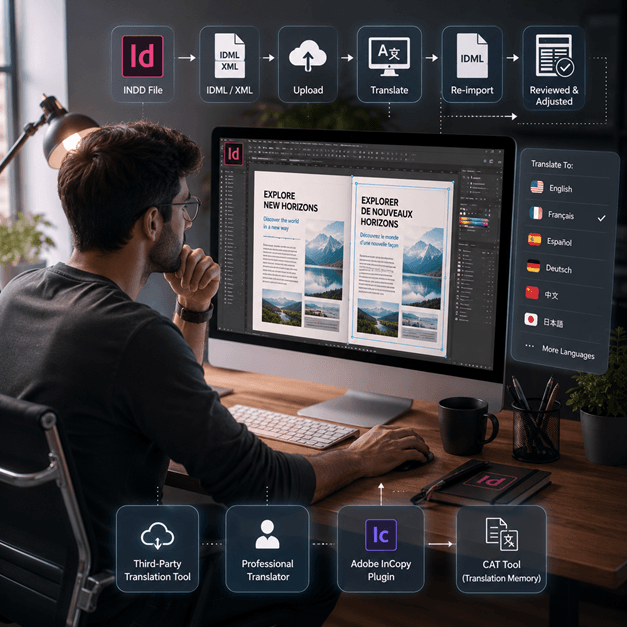
There are a few ways to translate an InDesign file online:
- Use a third-party translation tool: There are several 線上翻譯 tools, such as SDL Trados, that can help you translate your InDesign file into another language. Simply upload your file to the website and select the language you want to translate it to.
- Hire a professional translator: If you want the highest quality translation, you can hire a professional translator to translate your InDesign file for you. They will have the expertise to translate not just the language but also the context and tone of the document.
- Use a plugin like Adobe InCopy, it allows you to translate your text inside InDesign document using the standard translation memory and term base technology.
- Another option is to export your InDesign file as an XML or IDML file, then use a CAT tool (Computer-assisted translation) to extract the text and translate it, then re-import the translated text.
Note: Keep in mind that some formatting may be lost during the translation process, so it is important to review the 翻譯文件 and make any necessary adjustments.
Translate InDesign File →
Get to know InDesign Files
An InDesign file or INDD file, is a desktop publishing and page layout designing software application produced by Adobe. Released in 1999, InDesign is frequently used by graphic designers, marketers, journalists, and publishers. It can be used to create items such as posters, presentations, flyers, newspaper, and much more!
InDesign files are essential for anyone involved in graphic design and publishing. By understanding their structure and adhering to best practices, you can streamline your design process and produce professional-quality layouts. Whether you're designing a simple flyer or a complex magazine, mastering InDesign is key to unlocking your creative potential.
此外,如果您可能需要為您的網站、朋友或老闆的網站將整個網頁翻譯成任何語言,那也沒關係,您可以訪問我們的合作夥伴 Conveythis。com,老實說,您確實必須訪問這個頁面,只是為了看看他們的頁面看起來有多漂亮。
Translate InDesign File →Adobe InDesign Trial: Explore Before You Subscribe
Adobe InDesign offers a free trial version for users to explore its features and capabilities before committing to a subscription. However, this trial version is only available for a limited time, usually 7 days. After the trial period ends, users must purchase a subscription to continue using the software. Unfortunately, there is no permanent free version of Adobe InDesign. Users can explore alternative software options that offer similar features and functionalities at no cost. It's essential to research and compare different software options to find the best fit for your needs and budget.
Translate InDesign File →翻譯 PPT 檔案的最佳方式
觀看這段短視頻,了解翻譯 PowerPoint 文件的最佳方法!
它是如何運作的
步驟1: 建立免費帳戶
透過在我們的平台上設定免費帳戶來開始您的翻譯之旅。只需幾分鐘即可提供您的基本資訊並確認您的電子郵件地址。該帳戶將作為您上傳、追蹤和管理所有翻譯項目的個人化中心。
第 2 步: 上傳文件
登入後,是時候上傳您的文件了。我們的系統支援多種格式,包括 MS Word、Excel、PowerPoint、TXT、InDesign 和 CSV。只需拖放您的檔案或使用「瀏覽」選項從您的裝置中選擇檔案即可。
步驟3: 選擇原始語言和目標語言
指定原始文檔的編寫語言。然後,選擇您想要將文件翻譯成的目標語言。借助我們廣泛的支援語言列表,無論是商業提案還是創意活動,您都可以找到最適合您的受眾的語言。
步驟4: 點擊翻譯按鈕並下載
設定語言偏好後,按一下「上傳」按鈕開始處理。坐下來放鬆一下,我們的先進翻譯系統可以處理您的文件,保持原始的佈局和風格,同時提供準確的翻譯。
InDesign Translation: Frequently Asked Questions
How do I translate an InDesign file with DocTranslator?
Create a free account, upload your InDesign IDML file, select the original and target languages, then click Translate. DocTranslator processes the file and returns a translated version while keeping the original formatting and layout intact.
What InDesign file format does DocTranslator accept?
DocTranslator accepts the IDML format that Adobe InDesign exports. You can also translate DOCX, PDF, XLSX, PPTX, TXT, CSV, JSON, JPG, and PNG files in the same way.
Does DocTranslator keep the original InDesign layout and formatting?
Yes. DocTranslator keeps the original formatting and layout of your document, so fonts, styles, and structure carry over to the translated file. Some manual review may still be helpful after translation.
How many languages can I translate my InDesign file into?
DocTranslator supports more than 120 languages, including Spanish, French, German, Chinese, Japanese, Korean, Arabic, Portuguese, Italian, and Russian. Translation uses Google neural machine translation.
How large of an InDesign file can I translate?
DocTranslator handles files up to 1 GB or 5,000 pages, which covers large catalogs, magazines, and multi-page layouts in a single upload.
How much does it cost to translate an InDesign file?
AI translation is $0.005 per word. You can start with a 7-day trial for $2 (10 pages or 3,000 words). After that, the Monthly plan is $14.99/month (100 pages or 30,000 words) or the Annual plan is $135/year (about $11.25/month). For certified or notarized translations, such as USCIS submissions, a human translation is required.
立即翻譯您的文件!
立即註冊並發現DocTranslator 的力量以及它將為您和您的企業帶來多大的改變。