
Document Translator for Business
Translate business documents into 120+ languages and keep the original layout. Built for teams and whole organizations.
Upload or drop document to translate
Max. file size 1 GB

Built for teams and organizations
What is business document translation?
Business document translation means converting the files a company runs on, including reports, contracts, manuals, and presentations, into another language so colleagues, clients, and partners can read them. The output keeps the original layout, so a translated contract still looks like a contract and a translated deck still looks like the deck you built.
Teams reach for a document translator for business when three things matter at the same time: speed, accuracy, and volume. A marketing lead might need a product sheet in eight markets by Friday. A legal team might need a 200 page agreement reviewed before a deadline. Manual translation rarely keeps up with that kind of demand.
DocTranslator uses AI trained on large multilingual datasets, so it reads context rather than swapping words one at a time. Tone and meaning carry over, which is what you want when a translated report goes to a board or a translated manual reaches a customer. You can see how the core tool works on the document translator page.
The platform handles more than 100 languages and the file types offices actually use day to day: PDF, Microsoft Word, Excel, and PowerPoint. A whole team can work from the same tool instead of juggling separate apps for each format.
Everything runs in the cloud, so there is nothing to install on every machine and nothing for IT to push out. It works through any modern browser, including Chrome, Firefox, and Safari, which means staff in different offices and time zones get the same access wherever they sit.
A tool the whole team can use
Because DocTranslator runs in the browser, you skip desktop installs and platform headaches. It works in Google Chrome, Mozilla Firefox, and Apple Safari, so anyone on the team can open it from a laptop, get the translated file, and move on. No setup tickets, no per seat software to roll out.
Try It Now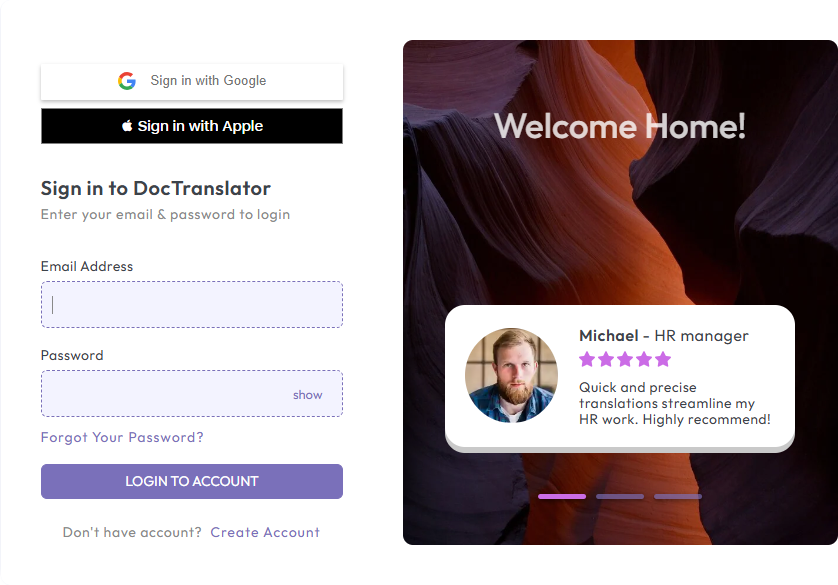
What to look for in a business document translator
As more of a company's work moves through documents, the translation tool you pick affects how fast teams ship and how cleanly the output reads. A few things separate a tool built for offices from a quick consumer app.
Accuracy comes first. The engine should read context, not just substitute words, so the subtle parts of a contract clause or a customer email survive the translation. That is what keeps business communication clear across languages.
Language coverage matters once you operate in several markets. DocTranslator supports more than 100 languages, including regional variants, so a distributed team can keep its messaging consistent across countries and jurisdictions.
File size flexibility is the next thing teams notice. When you are translating long agreements, technical reports, or detailed manuals, uploads of up to 1GB or several thousand pages should go through without breaking the formatting or slowing to a crawl.
Security is non negotiable for company files. Look for a browser based tool with no data retention, full encryption, and compliance with frameworks such as GDPR, HIPAA, and SOC 2.
Plenty of business documents carry charts, diagrams, and infographics. A capable tool reads and translates the text inside those visuals, so the full message comes through and your design team does not have to redo the artwork afterward.
Scanned and image based files
Scanned PDFs and image based documents need Optical Character Recognition (OCR) to turn pictures of text into something a translator can work with. With OCR built in, your team can translate non editable files without copying text out by hand first.

Why teams choose DocTranslator
Output you can send to clients
The AI engine is trained on billions of multilingual data points, so translations read as contextually correct, not just literal. That matters for regulated industries, customer communications, and anything tied to your brand.
Formatting that stays put
Whether you upload a PDF, a PowerPoint deck, an Excel sheet, or a Word doc, DocTranslator keeps the original formatting in place, including tables, visuals, and layout. Your team spends far less time fixing the file after translation.
Built for volume
With support for documents up to 5,000 pages or 1GB, the platform handles high volume, high complexity work across departments, markets, and time zones without bogging down.
It supports over 100 languages and can read a file that mixes several languages at once, which helps when you localize content for global regions and distributed teams.
OCR for non editable content
Scanned PDFs and image based documents go through the built in OCR, so nobody on the team has to extract the text by hand or reach for a third party tool.
The whole thing runs in a secure, browser based setup with no data retention, and it follows enterprise compliance standards including GDPR and HIPAA.
Self service, no training required
People upload, translate, and download a finished document in minutes, without a support ticket or a training session. That lets teams move quickly and rely less on outside vendors.
Pricing that scales with you
At $0.005 per word, DocTranslator costs far less than traditional localization, and any document under 1,000 words is free. Short files cost nothing to translate.
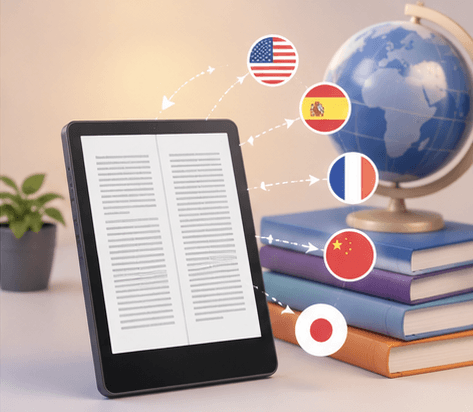
Reach customers in any market
There are roughly 358.7 million businesses operating worldwide, and most of them want to grow beyond their home market. Whether you are a young startup or an established multinational, expanding across borders means your documents have to speak the local language first.
DocTranslator makes that part easier. Teams can talk to international partners, clients, and markets through fast, accurate document translation that holds its formatting. When clarity drives a deal and global understanding drives growth, getting the document right is a real advantage.
Trusted for business translation at scale
Watch this short video to see how to translate a business document from start to finish.
DocTranslator keeps people coming back. More than 80 percent of first time users return, which points to a tool that is easy to pick up, accurate, and dependable. Satisfaction sits around 95 percent, with users rating the experience as excellent or good. Average session length keeps climbing too, a sign that teams trust it for more of their work.
The platform processes more than 20,000 translation requests a day across many industries, document types, and use cases. That steady, high volume demand shows it can support global communication at scale while holding on to speed, accuracy, and formatting. For individuals and for whole companies, it closes language gaps without slowing teams down.
Behind the scenes is an AI engine trained on billions of multilingual data points drawn from global datasets. That depth lets it recognize idioms, adapt to regional context, and produce translations that fit the local reader. The output is built to meet the demands of global markets, regulatory standards, and brand consistency.
Business document translation questions
What is business document translation?
It is the process of converting work files such as reports, contracts, manuals, and presentations into another language while keeping the original formatting. The goal is a finished file your team can share or send to a client right away.
Which file types can my team translate?
DocTranslator handles the formats offices use most, including PDF, Microsoft Word, Excel, PowerPoint, TXT, InDesign, and CSV. You can upload files up to 1GB or several thousand pages.
Does the translated file keep its original formatting?
Yes. Tables, charts, images, and layout stay in place, so a translated contract still reads like a contract and a translated deck still looks like your deck. That saves the team from rebuilding files by hand.
How many languages are supported?
More than 100 languages, including regional variants. A file that mixes several languages can be processed in one pass, which helps when you localize content for different markets.
Is it secure enough for company documents?
The platform runs in a browser based setup with full encryption and no data retention, and it follows compliance frameworks such as GDPR, HIPAA, and SOC 2.
How much does it cost for a team?
Translation is $0.005 per word, and any document under 1,000 words is free. That makes it far cheaper than traditional localization for high volume work.
Translate a business document now!
Create your account
Signing up takes a couple of minutes. Click the sign-up button and fill out the short form with your name, email address, and a password. New team members can be onboarded the same way.
Upload your business file
Add the report, contract, manual, or deck you need translated. We accept MS Word, Excel, PowerPoint, TXT, InDesign, and CSV files. Drag and drop, or browse your device to upload.
Pick the languages
Choose the source language of your document, then the language you want it in. Type the language name or browse the library to find it.
Translate and download
Click translate, and the file is processed and returned. You get a clean translation that keeps the original tone and layout, ready to share with your team or send to a client.
Translate a business document now!
Sign up today and give your team a faster way to translate the documents your business runs on.
Our Partners




Related Document Tools
File Formats
Document Types